Brazil Visa Photo

Brazil Visa Photo Summary
Brazil Visa Photo is a free iOS app in Photo And Video by Tsuyoshi Niisato. Released in Sep 2026 (1 month ago). Store last updated Sep 1, 2026
Brazil Visa Photo SDKs Summary
App not yet scanned for SDKs.
0★
Ratings:
Screenshots

App Description
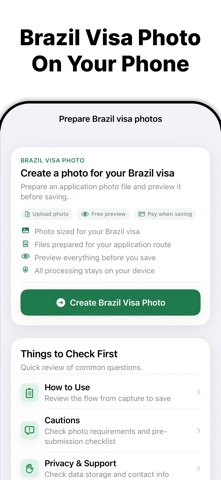
Brazil Visa Photo helps you prepare photo and document files for every Brazil visa route on your iPhone — the eVisa (VFS Global) upload photo and passport scan, plus consulate-specific photos for the Embassy or Consulate Visa route through e-Consular.
Choose the route that matches your application:
• Brazil eVisa (VFS Global) — prepare a 413×531 pixel upload JPEG and scan your passport data page
• Embassy or Consulate Visa (e-Consular) — prepare a photo in the exact size required by your consulate
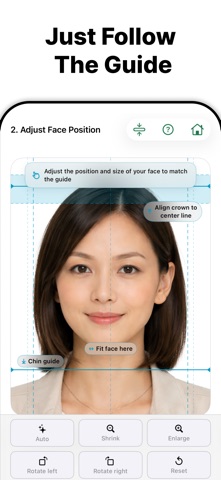
Take a new photo or choose one from your Photo Library, then follow the on-screen guide to adjust face position, head size, and margins. Replace the background with plain white, preview the result, and export JPG files when you need them.
Scan or import your passport data page — keep all four corners and the MRZ zone visible and readable, then save your photo, passport image, and supporting documents together in one app.
This app is useful for:
• Preparing your eVisa upload photo and passport data page scan
• Preparing a consulate visa photo in your post's required size
• Adjusting face position, size, brightness, and background
• Keeping every photo, scan, and document on your device
What you can prepare
• Brazil eVisa upload photo (413×531 px JPEG, max 2 MB)
• Passport data page image (JPEG, max 2 MB)
• Consulate-specific visa photos (12 verified jurisdiction sizes)
• White-background replacement
• JPG/JPEG export
Consulate photo sizes (e-Consular route)
Printed and digital photo requirements vary by consulate and jurisdiction. Common verified sizes include:
• United States — 2×2 inch (51×51 mm)
• United Kingdom, Germany, Japan, Singapore, Ireland — 35×45 mm
• Norway, Estonia, Australia — 4×5 cm (40×50 mm)
• Indonesia — 3×4 cm (30×40 mm)
• Hong Kong — 5×7 cm (50×70 mm)
• Finland — 36×47 mm
Always check the latest instructions from your specific consulate. Requirements and print policies can vary — some posts require professional studio photos or photographic paper.
Main features
• eVisa (VFS Global) and e-Consular routes in one app
• 413×531 pixel eVisa upload JPEG
• 12 consulate-specific photo presets
• Passport data page scanning
• White-background replacement
• Guided face position and size adjustment
• Brightness adjustment
• JPG/JPEG export
• Preview before saving