PDF Studio – Reader & Tools

PDF Studio – Reader & Tools Summary
PDF Studio – Reader & Tools is a free, with in-app purchases iOS app in Productivity by Birkan Aksoy. Released in Jun 2026 (3 months ago). Store last updated Sep 23, 2026
PDF Studio – Reader & Tools SDKs Summary
App not yet scanned for SDKs.
0★
Ratings: 0
Screenshots


App Description
PDF Studio is the all-in-one PDF app that works entirely on your device. No account, no ads, no tracking — your files never leave your iPhone or iPad.
READ & MARK UP
• Fast, smooth reader with search, bookmarks and a page thumbnail grid
• Highlight, underline, strike through and draw with Apple Pencil or your finger
• Add text, shapes, arrows, sticky notes and a date stamp
• Sign with your finger and reuse saved signatures
• Custom stamps, Night and Sepia modes, a clean Reading View and Read Aloud
SCAN & CREATE
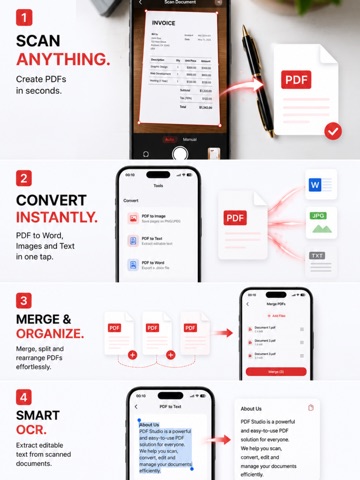
• Scan documents with the camera and clean up the edges
• Turn photos into a PDF
• Make scans searchable with on-device OCR
CONVERT
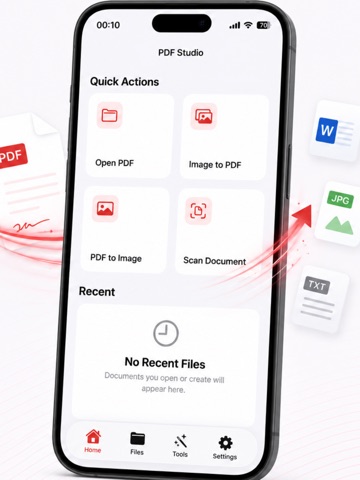
• PDF to Word, plain text or images
• Images to PDF
• Grayscale a PDF to save ink and shrink the file
ORGANIZE
• Merge, split, reorder, rotate, insert and delete pages
• Compress, and batch-compress or merge many PDFs at once
• Crop margins, extract images and add Bates numbers
• Compare two PDFs side by side and highlight what changed
PROTECT
• Add or remove a password
• Permanently redact text — even every match of a word at once
• Watermarks and page numbers
YOUR LIBRARY
• Star favorites for quick access and search every PDF at once
• Fill in forms
• Save to Files / iCloud Drive, plus a Home Screen widget for one-tap scanning
• Back up your whole library to one file and restore it on another device
100% ON-DEVICE PRIVACY
Everything happens on your device. PDF Studio collects no data — no ads, no tracking, ever. That's the whole point.
PDF Studio Pro unlocks every tool with no limits. Every Pro feature works 3 times free — upgrade yearly or once for lifetime.
Terms of Use (EULA): https://birsoftware.com/terms.html