DayByDay Daily Planner

DayByDay Daily Planner Summary
DayByDay Daily Planner is a free, with in-app purchases iOS app in Productivity by Zrindy LLC. Released in Jun 2026 (1 month ago). Store last updated Aug 6, 2026
DayByDay Daily Planner SDKs Summary
App not yet scanned for SDKs.
0★
Ratings: 0
Screenshots




App Description
DayByDay is a personal schedule app built to make one day easier to read.
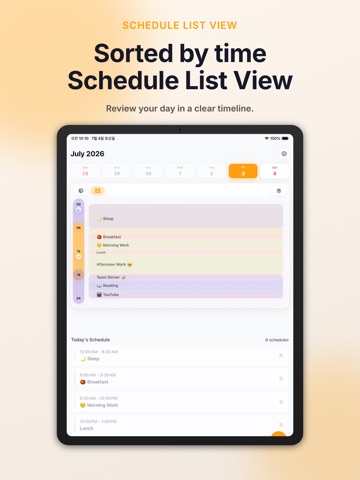
Instead of keeping every plan in a long list, DayByDay lays out your 24-hour day as a circular schedule so you can understand the flow of your time at a glance. Switch between the circular view and timetable view, check today's schedule, and keep reminders focused on the events that matter.
Key Features
- View your day as a circular schedule or timetable
- Home Screen widgets for today's schedule, current event, time left, and daily overview
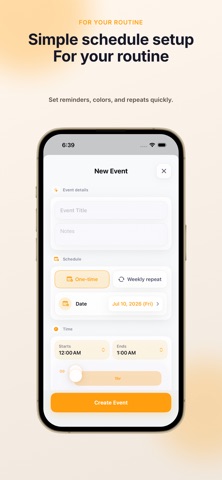
- Add, edit, and delete events
- Save reusable daily templates and apply them to any day
- Premium read-only Apple Calendar import with an automatic backup before sync
- 10-minute, 5-minute, and start-time reminders
- Turn reminders on or off for each event
- Alarm screen that keeps ringing until stopped
- Theme styles, fonts, guide rings, and label rotation settings
- Localized language options with RTL and LTR layout direction support
- SwiftData storage with iCloud CloudKit sync
- JSON backup export
- In-app email drafts for bug reports and feature requests
DayByDay is not trying to replace every calendar workflow. It focuses on helping you read the shape of a single day, understand the space between events, and keep a lighter daily plan.
Your schedule data is stored on device. When you are signed in to iCloud, app data can sync through your private CloudKit database across devices using the same Apple ID.
This app uses the Apple Standard End User License Agreement (EULA): https://www.apple.com/legal/internet-services/itunes/dev/stdeula/