CV Maker: Resume Maker

CV Maker: Resume Maker Summary
CV Maker: Resume Maker is a mobile iOS app in Productivity by Birkan Aksoy. Released in Jul 2026 (3 months ago). It has 1.00 ratings with a 5.00★ (excellent) average. Based on AppGoblin estimates, it reaches roughly 7.00 monthly active users . Store last updated Sep 25, 2026
CV Maker: Resume Maker SDKs Summary
App not yet scanned for SDKs.
5★
Ratings: 1.00
Screenshots


App Description
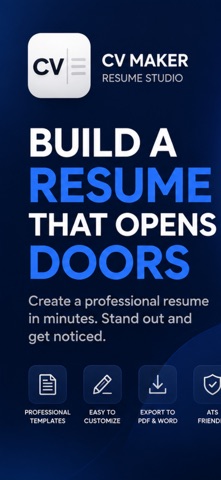
Create a professional resume in minutes with CV Maker — a private, offline resume builder with ATS matching, cover letters, professional templates, and PDF & Word export. Free, with no account and no subscription.
BUILD A PROFESSIONAL RESUME
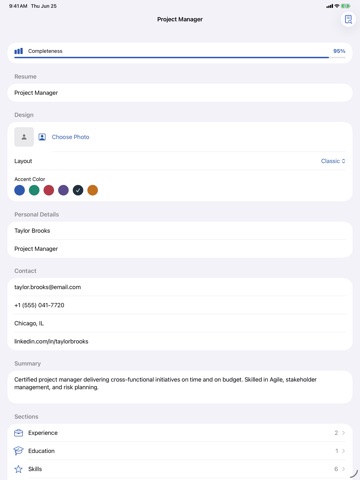
Add your experience, education, projects, skills, certifications, languages, references, awards, publications and volunteering — no online account needed.
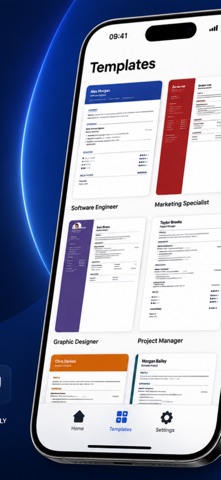
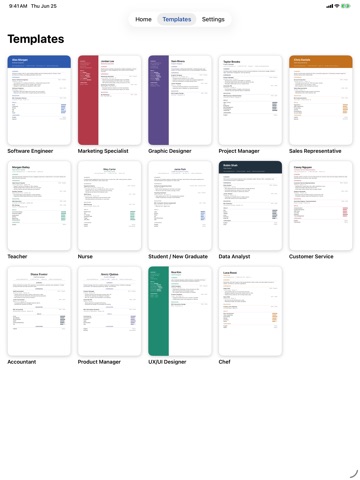
Choose from 16 professional templates including Classic, Modern, Sidebar, Minimal, Elegant, Compact, Header, Timeline, Corporate, Two-Tone, Boxed, Sidebar Pro, Academic, Executive, Swiss and Creative.
Customize fonts, accent colors, spacing, skill styles and sections.
GET HIRED WITH ATS
• Résumé Score & ATS report — a 0–100 score with clear fixes
• Writing Polish — stronger verbs, active voice and quantified impact
• Job Match — paste a job post and see matched & missing keywords
• Spell check, example summaries, power verbs and skill suggestions
COVER LETTERS
Write cover letters in six tones (formal, friendly, short, enthusiastic, executive, career change) with Classic, Modern, Minimal or Monogram layouts and a handwritten signature.
EXPORT YOUR DOCUMENTS
Export as PDF, Microsoft Word (.docx) or plain text. Combine résumé + cover letter into one PDF, add clickable links and a vCard QR code, and output your CV in 13 languages.
PRIVATE BY DESIGN
Your résumé stays on your device. No account. No ads. No tracking. No subscription. No server. App Privacy is 'No data collected'.
IMPORT & BACK UP
Import an existing PDF or Word résumé and keep editing. Back up all your résumés, cover letters and photos into one file and restore on another device.
Your career documents belong to you.