Manim Tutorial

Manim Tutorial Summary
Manim Tutorial is a free, with in-app purchases iOS app in Education by 上海百隅信息科技有限公司. Released in Jul 2026 (3 months ago). It has 1.00 ratings with a 5.00★ (excellent) average. Based on AppGoblin estimates, it reaches roughly 21 monthly active users and generates around $<10K monthly revenue (100% IAP / 0% ads). Store last updated Oct 25, 2026
Manim Tutorial SDKs Summary
App not yet scanned for SDKs.
5★
Ratings: 1.00
Screenshots


App Description
Manim Tutorial teaches you to create the animated math and computer-science explainers you've seen from 3Blue1Brown — by writing Python with Manim, one scene at a time. And now an AI assistant can build scenes with you.
WATCH + CODE, IN SYNC
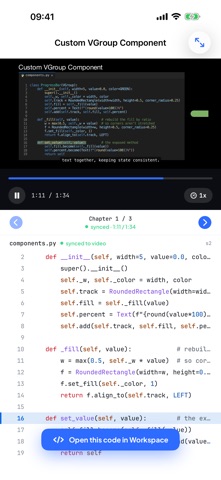
• Video lessons paired with the actual, runnable source code
• The code highlights line by line as the video plays, so you always know which line drew what
• One tap opens any lesson's code in the Workspace to run it and change it
A REAL MANIM WORKSPACE ON YOUR DEVICE
• Runs Manim (Community Edition) on embedded Python — rendering happens right on your iPhone or iPad
• Multi-file projects with your own SVG, image and audio assets
• Code editor with syntax highlighting, autocomplete, one-tap formatting, and light and dark themes
• Export in the quality you need, landscape or portrait, then save or share the video
• On iPad: files, editor, preview and the AI assistant side by side
AI ASSISTANT
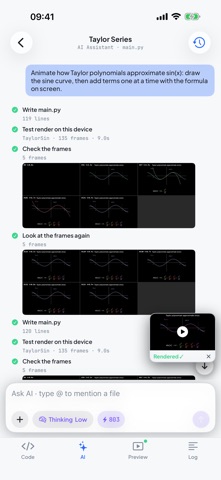
• Describe an animation in your own words, attach a sketch or a photo, or point it at a file with @
• It writes the Manim code into your project, test-renders it on your device, checks the result and fixes what's off
• Keeps working while you switch apps; a Live Activity shows its progress and a notification tells you when it's done
• Every device starts with 1,000 free credits; more are available in the app
A COMPLETE, STRUCTURED PATH
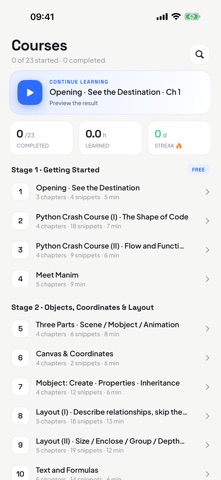
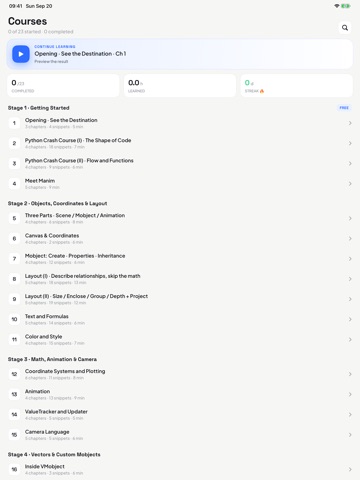
• 23 courses that take you from zero to confident, in six stages:
1. Getting Started — Python crash course and your first scenes
2. Objects & Layout — mobjects, the coordinate system, alignment, depth
3. Animation & Timing — animations, rate functions, updaters, custom moves
4. Text, Tex & Color — text, LaTeX/MathTex, color systems, graphs & trees
5. Advanced Topics — moving camera, 3D scenes & surfaces, custom mobjects
6. Build Real Projects — external assets, debugging & rendering, a capstone
• Every chapter is short, focused, and comes with runnable code
LEARN AT YOUR OWN PACE
• Download a course once and watch it offline
• Your progress, resume position and daily streak are saved as you go
• Available in English, Simplified and Traditional Chinese, Japanese, Korean, Spanish and Brazilian Portuguese
YOUR DATA, YOUR CHOICE
• No sign-up needed — everything, including the AI assistant, works right away
• Optional sign-in with App