Imaging Console Lite

Imaging Console Lite Summary
Imaging Console Lite is a free, with in-app purchases iOS app in Photo And Video by 栋 张. Released in Jul 2026 (1 month ago). Store last updated Sep 10, 2026
Imaging Console Lite SDKs Summary
App not yet scanned for SDKs.
0★
Ratings: 0
Screenshots


App Description
Imaging Console Lite is a third-party camera control, live monitoring, and file transfer app for Nikon Z-series mirrorless and cinema cameras.
It focuses on a streamlined single-camera shooting experience and is designed for photography enthusiasts, independent photographers, and visual creators whose primary needs are controlling one camera, monitoring live view, and transferring files from the camera.
Without a subscription, you can connect one compatible camera for remote shooting, camera setting adjustments, touch autofocus, in-camera media browsing, and manual downloads. For a more complete single-camera workflow, subscribe to Lite Plus to unlock advanced controls, LiveView, LUT workflows, gallery processing, and export tools.
Main Free Features
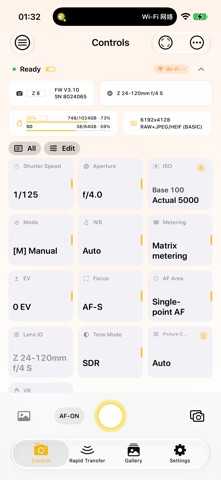
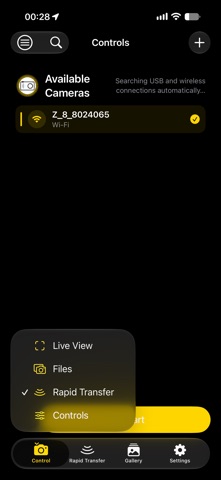
• Connect one compatible camera via USB (MTP/PTP) or wireless PTP/IP
• Remotely capture photos and record videos
• AF-ON focus control
• Adjust shutter speed, aperture, ISO, exposure mode, and exposure compensation
• Adjust white balance, metering, focus mode, and AF-area mode
• Select Picture Controls and adjust vibration reduction
• Use and freely reorder an iMenu containing 12 essential controls
• Single-shot self-timer
• Quickly review images after capture
• Browse photos and videos stored on the camera
• Manually download original files and save them to the system photo library
Main Lite Plus Features
Lite Plus is available as a monthly or annual auto-renewable subscription. Both plans unlock the same features:
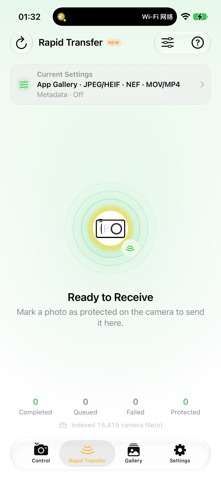
• Rapid Transfer
• Live View monitoring
• Touch autofocus
• Burst shooting control
• Multiple self-timer shots
• Change supported settings throughout the complete camera menu
• Freely add, remove, and rearrange iMenu items
• Automatically display a preview after capture
• Custom LUT and Picture Control library
• Apply LUTs to Live View monitoring and gallery workflows
• Anamorphic de-squeeze monitoring
• Red night-vision interface
• Gallery filters and LUT image processing
• Automatically load original files
• System sharing and saving to Files
• Quickly create three-second Live Photos
Available Only in Imaging Console
• Multi-camera cluster control and simultaneous live monitoring
• Global synchronized triggering
• Automatic downloads, instant transfer, and automatic GPS metadata a