Universal Control TV: Remote

Universal Control TV: Remote Summary
Universal Control TV: Remote is a free, with in-app purchases iOS app in Tools by END ONLINE SLU. Released in Jul 2026 (3 months ago). It has 6.00 ratings with a 2.40★ (poor) average. Based on AppGoblin estimates, it reaches roughly 31 monthly active users and generates around $<10K monthly revenue (100% IAP / 0% ads). Store last updated Aug 6, 2026
Universal Control TV: Remote SDKs Summary
App not yet scanned for SDKs.
2.4★
Ratings: 6.00
Screenshots



App Description
Turn your iPhone into a real universal remote for your smart TV — no IR hardware, no dongles, no clunky pairing codes.
Universal Control TV finds your Roku, Samsung Tizen and other smart TVs automatically over WiFi in seconds, then hands you full control right from your pocket.
Skip the fumbling with tiny on-screen keyboards and laggy factory remotes. This app gives you precision, speed and features your TV's original remote wishes it had.
Automatic Discovery: scan your WiFi network and find compatible smart TVs instantly. One-time pairing means every TV you add is remembered and ready on future launches.
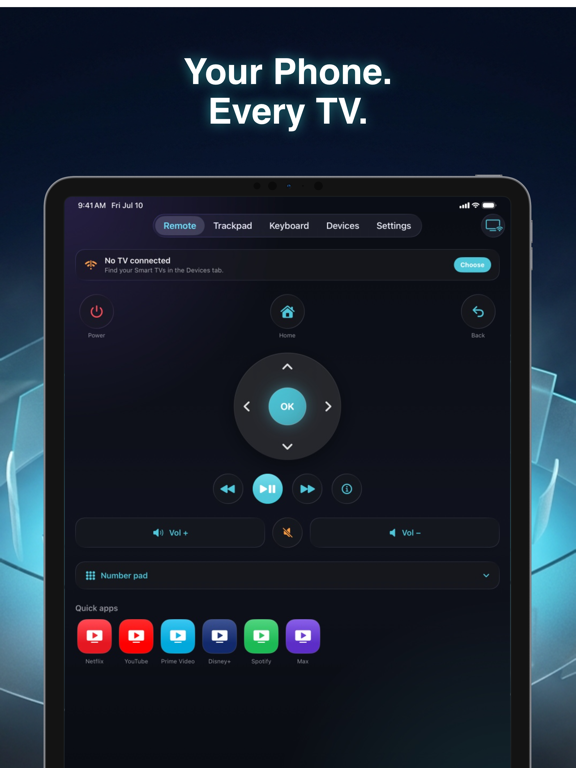
Complete Remote Control: power, volume, mute, channel changes and a smooth circular D-pad for navigating menus without missing a beat.
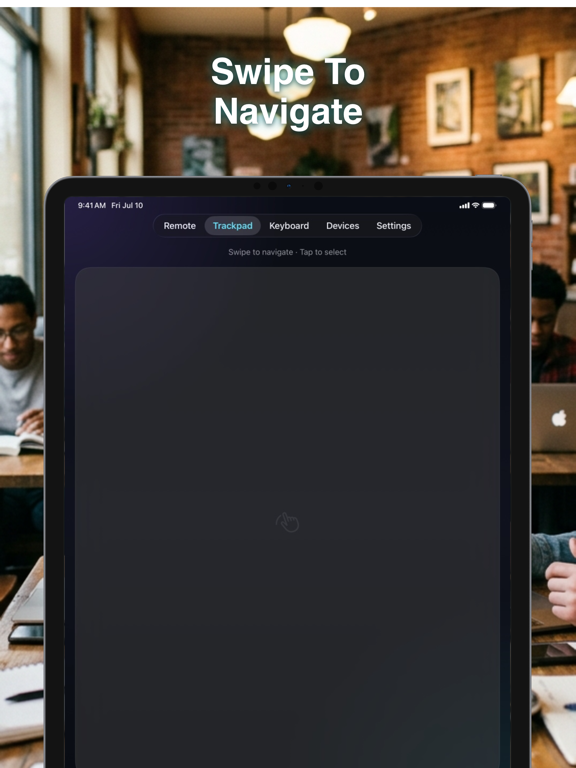
Trackpad Mode: swipe across your phone screen like a mouse to glide around the TV interface with precision instead of clicking arrow keys repeatedly.
Keyboard Text Input: type searches, usernames and passwords using your iPhone's full keyboard instead of hunting-and-pecking on the TV's on-screen remote.
One-Tap App Launch: jump straight into Netflix, YouTube, Prime Video, Disney+ and other streaming apps with a single tap.
Channel Number Pad: punch in exact channel numbers 0-9 instantly, just like a classic remote.
Setup takes seconds — connect to the same WiFi as your TV, let the app find it, tap to pair, and you're in control. No extra hardware, no IR blaster required.
Universal Control TV is offered as a premium weekly subscription with a 3-day free trial, so you can try every feature risk-free before you commit.
Download now and start controlling your TV smarter, faster and from anywhere in the room.
https://remotetvtotal.com/terms.html
https://remotetvtotal.com/policy.html