Find My Headphones: Pingback

Find My Headphones: Pingback Summary
Find My Headphones: Pingback is a free, with in-app purchases iOS app in Tools by Mohamed Mohamed-Ali. Released in Aug 2026 (2 months ago). Store last updated Aug 5, 2026
Find My Headphones: Pingback SDKs Summary
App not yet scanned for SDKs.
0★
Ratings: 0
Screenshots

App Description
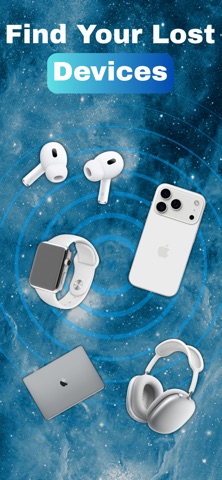
Lost an earbud, headphone, or Bluetooth tracker again? Pingback helps you find nearby Bluetooth devices using a live closeness signal, then saves where you found them so you can check the same spot next time.
Once the battery dies, the trail goes cold. Find it while it’s still on.
HOW IT WORKS
1. Scan for nearby named Bluetooth devices
2. Tap the device you’re looking for
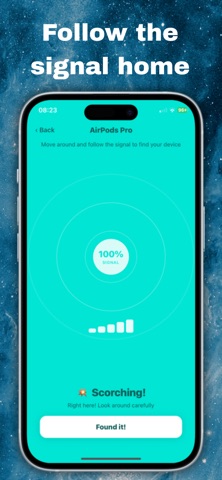
3. Follow the live closeness meter as you walk
4. Mark it found — then save the spot with a place label and map pinpoint
FIND IT NOW
• Scan nearby devices — see named Bluetooth devices around you
• Live closeness meter — signal strength and percentage that rises as you get nearer (visual radar + bar meter)
• Guided find flow — hotter/colder style walking toward the stronger signal
• Mark as found — clear “you got it” moment when you recover the item
REMEMBER THE SPOT
• Save where you found it — place label, optional note, and map pinpoint
• Quick place labels — Living room, Bedroom, Car, Bag / pocket, and more
• Found history — past finds and locations in one list
• Map view — jump back to the exact saved pinpoint
WORKS WITH
• AirPods and earbuds
• Headphones and headsets
• Tags and trackers
• Other named Bluetooth devices that are powered on and nearby
IMPORTANT
• The device must be on and have battery left
• It must be within Bluetooth range
• Only devices that show a readable name appear in your scan list
• Pingback is a closeness / signal guide — it is not GPS tracking of a powered-off device
FREE VS PREMIUM
• Scanning nearby named devices is free
• The live closeness meter is a premium feature
Built for real “where did I leave it?” moments around the house, office, car, and bag — calm, clear, and useful.
Need help? Open Help in the app for “Can’t see your device?” tips and FAQs
Privacy Policy: https://50labs.vercel.app/privacy
Terms of Use: https://www.apple.com/legal/internet-services/itunes/dev/stdeula/