VibeCut AI

VibeCut AI Summary
VibeCut AI is a free, with in-app purchases iOS app in Photo And Video by YU TUNG LIN. Released in Jul 2026 (1 month ago). Store last updated Jul 20, 2026
VibeCut AI SDKs Summary
App not yet scanned for SDKs.
0★
Ratings: 0
Screenshots

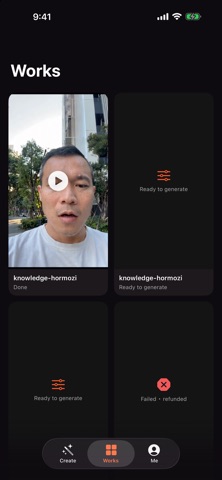
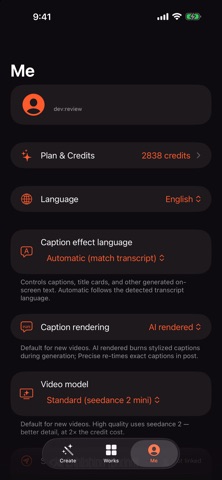
App Description
VibeCut AI turns your talking-head videos into scroll-stopping, influencer-style edits — automatically.
Record yourself talking (up to 90 seconds, portrait). VibeCut AI transcribes your speech, trims silences, analyzes your delivery, and applies a complete editing style pack: dynamic captions, punch-ins, camera moves, and visual effects — while your face, expressions, lip sync, and voice stay 100% you.
HOW IT WORKS
1. Upload a talking video (up to 90s)
2. Review and edit the auto-generated transcript
3. Preview every sentence on one storyboard
4. Confirm — VibeCut AI generates your edited video
FEATURES
- Influencer style packs: captions, zooms, and effects in one tap
- Word-accurate captions powered by speech recognition
- Automatic silence trimming keeps your pacing tight
- Sentence-by-sentence preview before you spend credits
- Your identity preserved: face, lip-sync, and voice untouched
- Portrait 9:16 output, ready for Reels, TikTok, and Shorts
PLANS AND CREDITS
VibeCut AI uses generation credits. Subscribe monthly (Basic / Pro / Studio) or top up with add-on credit packs. Subscriptions auto-renew and can be managed anytime in Settings.
Terms of Use (EULA): https://www.apple.com/legal/internet-services/itunes/dev/stdeula/
Privacy Policy: https://vibecutweb-zdgn4zaq3a-uc.a.run.app/privacy.html