Timeless Cam: Same Place

Timeless Cam: Same Place Summary
Timeless Cam: Same Place is a free, with in-app purchases iOS app in Photo And Video by 悦 田. Released in Jul 2026 (2 months ago). Store last updated Jul 30, 2026
Timeless Cam: Same Place SDKs Summary
App not yet scanned for SDKs.
0★
Ratings: 0
Screenshots

App Description
Some photos are not finished. They are waiting for you to return with today.
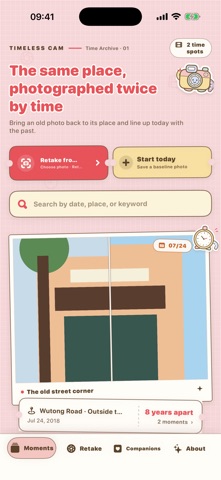
Timeless Cam is made for rephotographing a place from the same viewpoint. Choose an old photo, return to where it was taken, and place the past as a translucent layer over the live camera. Line up buildings, people, or familiar edges, then press the shutter when past and present meet.
Now the real figures, art toys, plush friends, and dolls that travel with you can become part of that timeline too.
A SHELF FOR REAL COMPANIONS
• Choose a photo and save a companion’s name, type, date met, and story
• Favorite special companions and see days together and shared-photo counts
• Add several angles to a reusable Real-World Pose Library; Apple Vision separates each foreground once on your device
• Tap “Take Them Somewhere” to place a saved pose into any existing time photo, then drag, resize, and rotate it
• Open a Travel Passport to revisit trips, places, and days together
• Make a high-resolution Companion Postcard in one of three journal styles
• Tap “Let Them Say Something” for a gentle, editable line of local text—never voice or a notification
• Take up to three new camera photos with a physical companion per local calendar day; ordinary photos without a companion remain unlimited
• Pick the companion joining a new photo, change the link later, search by name, and include the name in a PDF diary
• Archive a companion from the shelf without deleting its profile, photos, pose assets, or captured time photos
REPHOTOGRAPH PAST AND PRESENT
• Overlay an old photo on the live camera; move, zoom, rotate, hide, or adjust its opacity
• Shoot in portrait 3:4 or landscape 4:3, then rotate 90° before saving
• Drag a Then/Now divider and keep adding returns to one visible timeline
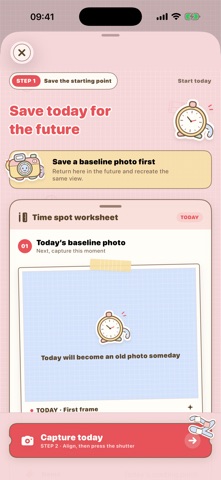
• Start with today when you do not have an older photo yet
ORGANIZE, FIND, AND EXPORT
• Edit titles, places, dates, and notes; search by date, place, keywords, or companion
• Type a place or request a one-time current-location suggestion
• Write a caption or choose a gentle, editable line from the built-in library
• Choose four comparison layouts or an on-device visual recommendation
• Save comparisons to Photos and export an A4 PDF diary with the timeline UI, notes, and companion names
• Switch between Simplified Chinese, Englis