Repaint: House Paint AI

Repaint: House Paint AI Summary
Repaint: House Paint AI is a free, with in-app purchases iOS app in Art And Design by Mahanti Corporation. Released in Jul 2026 (2 months ago). It has 1.00 ratings with a 5.00★ (excellent) average. Based on AppGoblin estimates, it reaches roughly 10 monthly active users and generates around $<10K monthly revenue (100% IAP / 0% ads). Store last updated Oct 6, 2026
Repaint: House Paint AI SDKs Summary
App not yet scanned for SDKs.
5★
Ratings: 1.00
Screenshots


App Description
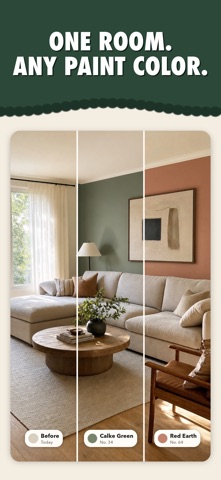
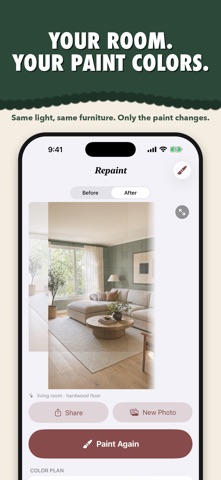
Take a photo of your room or house, pick a paint color for each surface, and get back a picture of it repainted. Same light, same furniture. Only the paint changes.
Sample pots cost money and a weekend. This takes about a minute.
Plan it surface by surface
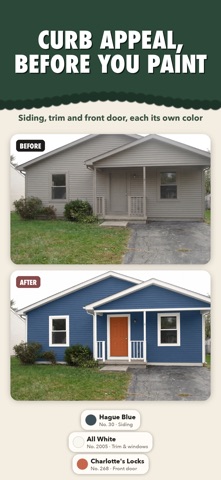
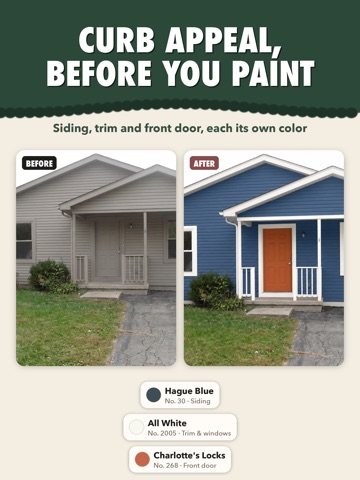
Assign colors the way a painter itemizes a job: walls, an accent wall, ceiling, trim, crown molding, baseboards, wainscoting, doors, window frames, shutters, cabinets, built-ins and their shelf backs, the fireplace, exposed brick, stair risers, radiators, even the floor. That's 22 surfaces, plus anything you name yourself, like "the oak dresser" or "the garage door". On the outside of a house, the same plan covers siding, trim and the front door in one render.
165 designer colors
Browse by color family or search by name or number. Every color keeps its name and number, so you know what to ask for at the paint store.
Only the paint changes
Before it renders, the app reads your photo: where the ceiling line sits, what the light is like, which beams, soffits and objects must stay as they are. It locks exposure and white balance, so furniture, art, plants and fabrics come back untouched.
Try more than one
Each photo becomes a room with its own set of colorways. Remix any result into a new palette, flip between before and after, and pinch in to check the edges.
Notes for the painter
Say what a plan can't, in your own words: "leave the window trim white", "a touch deeper in the alcove". Your notes go straight into the render.
Take the plan with you
Share a recipe card listing every color, number and surface, ready for the paint store, your contractor or the group chat. Every render stays in your gallery, on iPhone, iPad and Mac.
No account needed.
Terms of Use (EULA): https://www.apple.com/legal/internet-services/itunes/dev/stdeula/
Privacy Policy: https://mahanticorp.vercel.app/repaint/privacy-policy