Auto Blur Faces in Video

Auto Blur Faces in Video Summary
Auto Blur Faces in Video is a free, with in-app purchases iOS app in Photo And Video by Xiamen Youyou Information Technology Co., Ltd.. Released in Aug 2026 (2 months ago). It has 1.00 ratings with a 5.00★ (excellent) average. Based on AppGoblin estimates, it reaches roughly 20 monthly active users and generates around $<10K monthly revenue (100% IAP / 0% ads). Store last updated Oct 3, 2026
Auto Blur Faces in Video SDKs Summary
App not yet scanned for SDKs.
5★
Ratings: 1.00
Screenshots


App Description
Protect privacy in your videos directly on your iPhone.
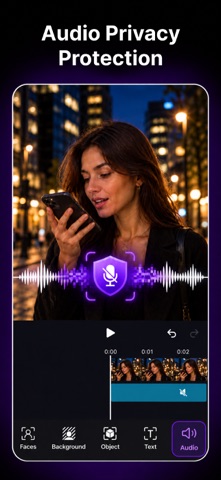
Video Blur automatically detects faces in your videos and gives you flexible tools to hide people, protect identities, and edit sensitive areas. Choose from blur, mosaic, Emoji, or your own custom image to cover faces the way you want.
All editing features are available for free. Free users can preview and edit without feature restrictions, with limitations applied only when exporting.
Your video files, frames, face analysis, editing choices, and exports stay on your device.
KEY FEATURES
• Automatically detect faces in videos
• Choose which faces to hide
• Blur the video background
• Apply smooth blur or mosaic effects
• Cover faces with Emoji
• Use your own custom image as a face cover
• Adjust blur and mosaic intensity
• Preview edits before exporting
• Export or share the finished video
• On-device processing for better privacy
FREE
All editing features are available for free.
Free exports are limited to:
• Up to 720p resolution
• The first 60 seconds of videos longer than 60 seconds
VIDEO BLUR PRO
Upgrade to Video Blur Pro to remove export limitations.
Pro includes:
• Export videos at the original supported resolution
• Export the full video duration
• No 60-second export limit
• No 720p export limit
Video Blur Pro is available as a weekly or yearly auto-renewable subscription, or as a one-time Lifetime purchase.
Subscriptions renew automatically unless canceled at least 24 hours before the end of the current period. Lifetime is a one-time purchase and does not renew. You can manage or cancel subscriptions in your Apple Account settings.
Privacy Policy:
https://video-blur.vhoto.ai/agreement/privacy-policy
Terms of Use:
https://video-blur.vhoto.ai/agreement/terms-of-service