Glide: Automation Control

Glide: Automation Control Summary
Glide: Automation Control is a free iOS app in Music And Audio by Aakash Rajan. Released in Jul 2026 (recently released ago). Store last updated Aug 2, 2026
Glide: Automation Control SDKs Summary
App not yet scanned for SDKs.
0★
Ratings:
Screenshots


App Description
Glide turns your iPhone or iPad into a tactile MIDI automation controller for your DAW.
Map a parameter. Press record. Move. Instead of drawing every automation curve later, perform it while the music plays.
THREE WAYS TO MOVE
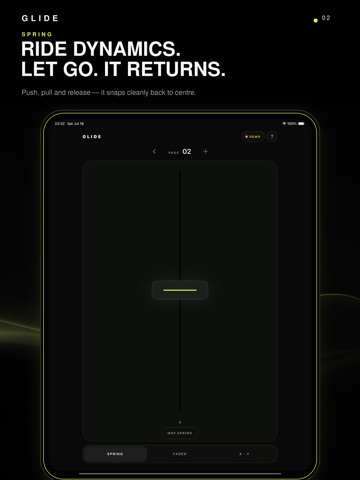
SPRING
Push above or below centre, then let go. It returns smoothly on release. Great for expressive swells, pitch-style movement and momentary effects.
FADER
Ride a value with one finger and leave it exactly where you release it. Ideal for dynamics, modulation, volume, wet/dry levels and long automation passes.
X · Y
Shape two parameters together with one fluid gesture. Perform curves, circles and movements that are difficult to draw with a mouse.
BUILT FOR REAL SESSIONS
• 48 pages
• Four independent assignments on every page: Spring, Fader, X and Y
• Name pages and keep those names saved on your device
• Double-tap Fader or X · Y to return to centre
• Demo Mode lets you try every control before pairing
PAIR ONCE
Install the free Glide companion on Mac or Windows. Keep your iPhone or iPad and computer on the same trusted local network, then pair using a one-time QR code.
Connect Glide to any compatible DAW that supports MIDI input, MIDI mapping or controller assignment. Map a parameter, press record and perform.
PRIVATE BY DESIGN
No account. No ads. No analytics. No cloud processing. Glide communicates directly with your computer over your local network.
REQUIRES
• Free Glide desktop companion for Mac or Windows
• Supported Mac or Windows PC
• Compatible MIDI-mappable DAW
• iPhone or iPad running iOS/iPadOS 17 or later
• Both devices connected to the same local network
Glide is a MIDI controller and does not generate audio.