Spreadsheet Maker - GridSmith

Spreadsheet Maker - GridSmith Summary
Spreadsheet Maker - GridSmith is a free, ad-supported, with in-app purchases iOS app in Art And Design by Lisfee, Inc.. Released in Jul 2026 (2 months ago). It has 1.00 ratings with a 3.89★ (average) average. Based on AppGoblin estimates, it reaches roughly 17 monthly active users and generates around $<10K monthly revenue (79% IAP / 21% ads). Store last updated Aug 17, 2026
Recent activity: 1.00 new ratings this week View trends →
Spreadsheet Maker - GridSmith SDKs Summary
App not yet scanned for SDKs.
3.89★
Ratings: 1.00
Screenshots


App Description
Create spreadsheets, schedules, rosters, brackets, budgets, inventories, and checklists—right from your iPhone/iPad.
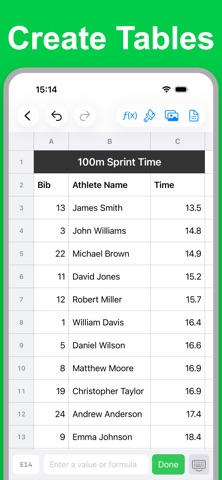
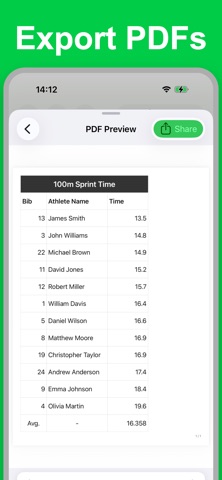
GridSmith is a flexible spreadsheet and table maker that brings data entry, calculations, formatting, images, and PDF, PNG, and CSV export together in one mobile app.
Tap a cell to enter data. Long-press to copy, paste, or clear it. Edit rows and columns with intuitive controls designed specifically for a phone.
#KEY FEATURES
■ CELL INPUT AND FORMULAS
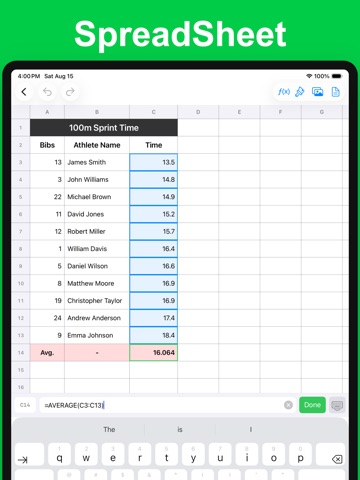
Enter text, numbers, dates, currency, percentages, and multi-line notes. Use cell references in formulas and see calculated results automatically.
■ RICH FORMATTING
Customize cells with:
• Background and text colors
• Font family and size
• Bold, italic, underline, and strikethrough
• Horizontal and vertical alignment
• Indentation and line spacing
• Number, currency, date, and percentage formats
Apply formatting to multiple cells, rows, or columns at once.
■ FLEXIBLE BORDERS
• Solid, thick, dotted, dashed, and double lines
• Adjustable line width
• Custom border colors
Place borders on selected sides, outside edges, or inside ranges.
■ POWERFUL TABLE EDITING
• Add, delete, move, reorder, resize, or hide rows and columns
• Copy, cut, and paste cells, ranges, rows, and columns
• Copy values, formatting, and input rules together
• Select multiple cells and use autofill
• Merge cells for titles and headings
• Undo and redo individual or bulk edits
■ CUSTOM PICK LISTS
Create reusable choices for names, statuses, and categories, then select a value instead of repeatedly typing it.
■ IMAGES
Add images from your library or camera. Move, resize, and display them as circles, squares, or rounded rectangles.
■ MULTIPLE SHEETS
Switch, rename, duplicate, delete, and reorder sheets within a document.
■ PDF, PNG, AND CSV EXPORT
Create files for printing, saving, or sharing. Configure PDF paper size, orientation, margins, export range, title position, and headings. Export PNG images or CSV data for other spreadsheet apps.
■ TEAM WORKSPACES
Eligible plans let you invite members and manage tables together.
#GREAT FOR
• Budgets and expense tracking
• Sales, customer, and inventory management
• Rosters, contacts, and work schedules
• Shift planners, timetables, and calendars
• Checklists, estimates, and reports
• Product lists and price sh