Offline Tattoo Try-On

Offline Tattoo Try-On Summary
Offline Tattoo Try-On is a free, with in-app purchases iOS app in Photo And Video by Manish Kapoor. Released in Aug 2026 (1 month ago). Store last updated Aug 4, 2026
Offline Tattoo Try-On SDKs Summary
App not yet scanned for SDKs.
0★
Ratings: 0
Screenshots



App Description
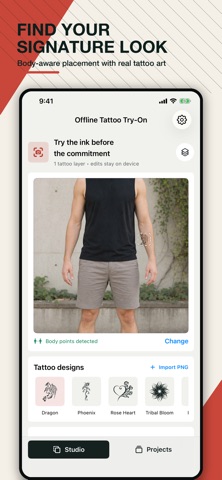
Wondering what that new tattoo will look like on you? Offline Tattoo Try-On lets you preview ink on your body using cutting-edge AR and precise photo editing—all without ever leaving your device.
Whether you're planning your first tattoo or adding to a sleeve, our app uses Apple's Vision framework to automatically detect body poses and wrap designs naturally onto your arms, legs, and neck.
FEATURES:
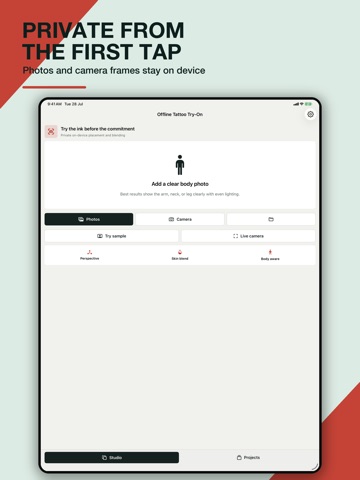
• Live AR Try-On: Point your camera at your arm or leg and watch the tattoo map onto your body in real time.
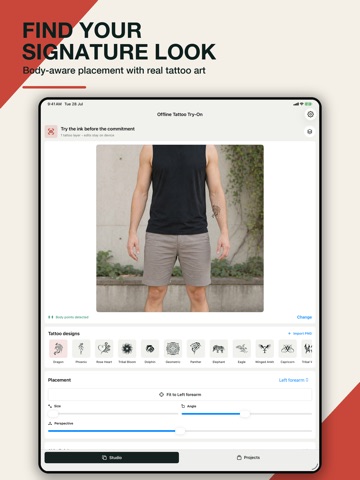
• Photo Studio: Import a photo from your gallery and precisely place your ink.
• Advanced Realism: Adjust skin blend modes (Natural, Soft, Fresh, Dark), ink opacity, edge softness, and fade to match realistic skin textures.
• Perspective Control: 3D perspective sliders ensure the design wraps perfectly to your body's contours.
• Save Projects: Save your editable try-ons to your device so you can tweak the design later.
• 100% Private: No cloud uploads, no accounts, and no data tracking. Your photos and camera feed stay securely on your device.
TATTOO TRY-ON PRO:
Upgrade to Pro to unlock the ultimate digital studio.
• Import your own custom transparent PNG designs.
• Add multiple tattoo layers to plan complex sleeves or combinations.
• Unlock the full premium tattoo design library.
• Export high-resolution images to share with your tattoo artist.
Privacy Policy: https://bytesweavers.tech/tattootryonios/privacy.html
Terms of Use: https://bytesweavers.tech/tattootryonios/terms.html
Apple Standard Terms of Use (EULA): https://www.apple.com/legal/internet-services/itunes/dev/stdeula/
Support: https://bytesweavers.tech/tattootryonios/support.html