PDF Converter -- Image to PDF

PDF Converter -- Image to PDF Summary
PDF Converter -- Image to PDF is a free, ad-supported, with in-app purchases iOS app in Productivity by Venish Rakholia. Released in Aug 2026 (1 month ago). Store last updated Aug 13, 2026
PDF Converter -- Image to PDF SDKs Summary
App not yet scanned for SDKs.
0★
Ratings: 0
Screenshots

App Description
Only the opening changed, to lead with "converter" now that it's your title anchor. Full text so you can paste in one go:
Every PDF tool you actually need, in one fast converter.
Turn photos into clean documents, scan paper with your camera, shrink
oversized files, and pull pages back out as images — all on your iPhone,
with no account and no uploads.
IMAGE TO PDF
• Convert any photo or screenshot into a PDF in seconds
Only the opening changed, to lead with "converter" now that it's your title anchor. Full text so you can paste in one go:
Every PDF tool you actually need, in one fast converter.
Turn photos into clean documents, scan paper with your camera, shrink
oversized files, and pull pages back out as images — all on your iPhone,
with no account and no uploads.
IMAGE TO PDF
• Convert any photo or screenshot into a PDF in seconds
• Combine as many images as you like into one document
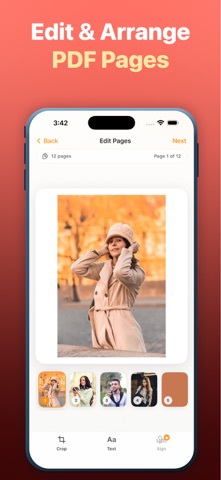
• Drag pages to reorder them before you convert
• Choose A4, US Letter or Legal, portrait or landscape
• Set margins and output quality to match how you'll use it
DOCUMENT SCANNER
• Point your camera at paper — edges are detected automatically
• Auto-capture with perspective correction, so pages come out square
• Scan several pages in a row into a single PDF
• Ideal for receipts, contracts, forms, notes and ID documents
COMPRESS PDF
• Shrink large PDFs so they fit email and upload limits
• Three levels: Best Quality, Balanced, or Smallest File
• See exactly how much you saved before and after
• Never returns a bigger file than you started with
PDF TO IMAGE
• Export every page as a separate PNG or JPEG
• Pick your resolution — up to 3x for print-quality output
• Save the whole set straight to Photos, or share single pages
POLISH BEFORE YOU CONVERT
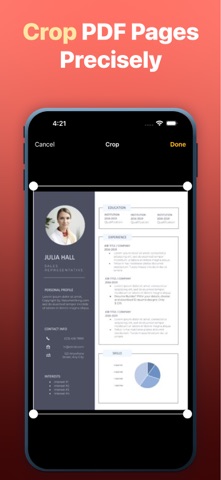
• Crop any page to trim away backgrounds and edges
• Add text in a range of styles, sized and placed exactly where you want
• Sign with your finger and drag your signature into position
WHY PDF CONVERTER
• Everything runs on your device — your files are never uploaded
• No sign-up, no account, no email required
• Works offline, wherever you are
• Every PDF you create is saved to Recent, ready to rename or reshare
• Share anywhere, or export to Files and iCloud Drive
• Clean, fast and built for iPhone
Whether you're sending a signed contract, emai