Start Math

Start Math Summary
Start Math is a free, with in-app purchases iOS app in Education by CHUNGKIL KIM. Released in Aug 2026 (2 months ago). Store last updated Oct 9, 2026
Start Math SDKs Summary
App not yet scanned for SDKs.
0★
Ratings: 0
Screenshots



App Description
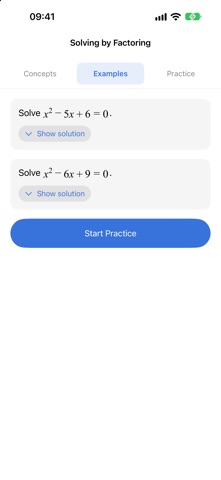
School mathematics as one path: concept, worked example, practice, review.
Grade 7 through Grade 12, following Korea's 2022 national curriculum.
No account. No internet required.
■ It traces back to where you actually got stuck
If you keep missing quadratic equations because the real gap is in factoring,
a hundred more quadratics will not help. This app collects the concepts behind your
wrong answers, walks back the prerequisites and says where to restart.
A lesson you reach that way opens even if locked, and stays open.
■ Wrong answers come back just as you are about to forget
Every miss goes into Mistakes and returns after 1, 3, 7, 16 and 35 days.
Get it right and the interval grows; miss it again and it restarts.
Tag why you missed it — a slip in the math, a misunderstood idea, or a misread
problem. Slips do not count against concept mastery, and come back after three
days instead of one.
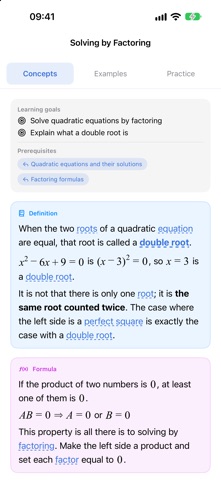
■ Formulas are typeset, and read aloud properly
Rule thickness, radical slant and exponent size follow typesetting rules,
so nothing blurs when you enlarge the text. With VoiceOver,
formulas are read in plain English: "x squared", "1 over 2", "n choose r".
Graphs on concept cards have coefficients you can drag.
■ When the exam is two weeks away
Enter the scope and the minutes you can give each day. The plan follows prerequisite
order and keeps the last two days for review. If time is short, it drops the hardest
problems and says so.
■ Room to work it out by hand
Every problem has a writing space; on iPad, problem and working sit side by side.
Your working is saved per problem and comes back in Mistakes. Handwriting is
not graded.
■ One card for a parent
A week's work as one card — time studied, problems solved, lessons finished.
No rank, no comparison, and nothing goes out unless the student taps Send.
■ Also
· Concept map — what you know, what you do not, and the path
· Statistics — streak, progress, causes of mistakes, solving time
· Answer stats — how often a problem is missed. Off by default
· Problem of the Day widget — free-section only, so a tap never hits a paywall
· Review reminders — off by default; at most once a day
· English or Korean — follows your device language; progress carries over
· iCloud sync · iPad two-pane · Dark Mode · Dynamic Type
■ What is included
All 13 courses of Korea's 2022