Pic Draw: Photo Trace & Draw

Pic Draw: Photo Trace & Draw Summary
Pic Draw: Photo Trace & Draw is a free, with in-app purchases iOS app in Art And Design by Dmytro Polokhalo. Released in Aug 2026 (1 month ago). It has 1.00 ratings with a 5.00★ (excellent) average. Based on AppGoblin estimates, it reaches roughly 50 monthly active users and generates around $<10K monthly revenue (100% IAP / 0% ads). Store last updated Sep 15, 2026
Recent activity: 1.00 new ratings this week View trends →
Pic Draw: Photo Trace & Draw SDKs Summary
App not yet scanned for SDKs.
5★
Ratings: 1.00
Screenshots

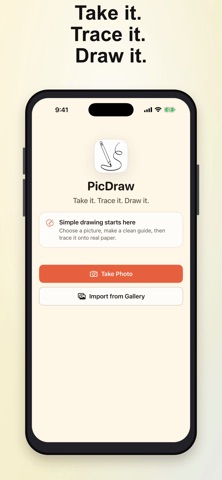

App Description
Turn photos into clean line drawings and trace them onto real paper with your iPhone camera. PicDraw keeps the workflow simple, fast, and completely on-device.
HOW IT WORKS
1. Take a photo or choose one from your library.
2. Crop, rotate, and adjust the outline.
3. Overlay the guide on the live camera view and trace it onto paper.
4. Save your project and resume whenever you are ready.
TRACING TOOLS
• Smart Trace automatically balances edges, shadows, and contrast
• Subject Only helps clear distracting backgrounds
• Clean Edges and Sketch outline styles
• Black, red, blue, green, magenta, and white line colors
• Opacity, move, pinch-to-zoom, rotate, flip, and reset controls
• Position lock, flashlight, grid, and paper calibration
• Original-photo reference while preparing or tracing
• Save generated outlines and drawing-process videos to Photos
• Recent Projects with private local save and resume
PRIVATE AND OFFLINE
Image processing happens on your device. PicDraw does not require an account or upload your photos to a cloud service.
One complete tracing project is included free and can be saved and resumed anytime. A one-time lifetime unlock enables unlimited new tracing projects—no subscription or ads.
Terms of Use: https://dpolokhalo-gif.github.io/picdraw-support/terms/