
Mulux Summary
Mulux is a free, with in-app purchases iOS app in Entertainment by 志凌 方. Released in Sep 2026 (recently released ago). Store last updated Oct 6, 2026
Mulux SDKs Summary
App not yet scanned for SDKs.
0★
Ratings: 0
Screenshots


App Description
Mulux Cinema
Bring your favorite films into your own cinema. Open your library on iPhone, iPad, Apple TV, or Apple Vision Pro, pick up where you left off, and settle in for a movie.
Understand the Story, Even Without Subtitles
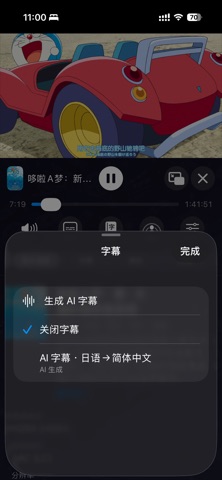
Found a film without subtitles? You no longer have to wait for someone to create them. Mulux Cinema uses AI speech recognition to generate subtitles from the dialogue and translate them into your preferred language.
Already have subtitles? Use AI subtitle translation to make foreign-language dialogue easier to follow. Generated AI subtitles can also sync across devices, so you can create them on a supported device and use them on your other devices.
Your Films, Wherever You Keep Them
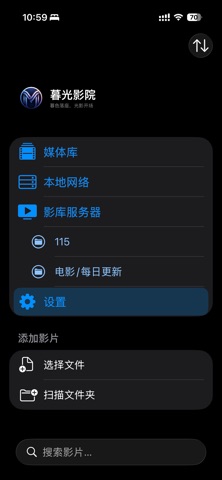
Play local files in a wide range of common video formats, or connect to network shares and media servers.
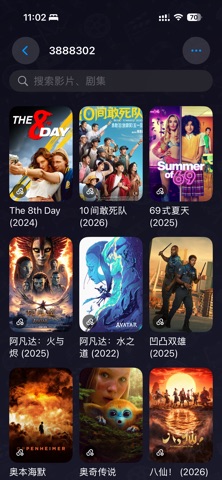
Supports SMB, WebDAV, and FTP, along with Emby, Jellyfin, and Plex libraries. Whether your films are stored on your device, computer, or NAS, browse them in one place and find your next watch by its poster.
Switch Devices. Keep Watching.
Sync playback progress, library information, AI subtitles, and more through iCloud. Watch on your iPhone while you’re out, then switch to your iPad or TV at home. As long as both devices can access the same video source, you can continue where you left off.
SharePlay lets you watch in sync with friends and family, so you can enjoy a movie together even when you’re apart.
A Viewing Experience for Every Screen
Portrait playback on iPhone and iPad uses a split layout: watch the video at the top, with playback, subtitle, and audio controls below. View the synopsis and technical details, or browse your library while watching. When chapter or episode information is available, jump to a chapter or choose another episode with ease.
The layout also adapts to different iPhone Duo screen configurations.
Picture in Picture on iOS lets you keep watching while replying to messages or using other apps.
On Apple TV, an interface designed for the big screen and remote control turns your living room into your everyday cinema.
An Immersive Cinema, Exclusively on Apple Vision Pro
Step into an immersive cinema and let the film take center stage. Choose your cinema environment and seat, then enjoy the big-screen experience in your own viewing space.
Subtitles and Playback, Your Way
Adjust subtitle fonts, size, color,