Thermal State

Thermal State Summary
Thermal State is a free, with in-app purchases iOS app in Tools by JONATHAN DAVID MAYFIELD. Released in Oct 2026 (recently released ago). It has 1.00 ratings with a 5.00★ (excellent) average. Based on AppGoblin estimates, it reaches roughly 50 monthly active users and generates around $<10K monthly revenue (100% IAP / 0% ads). Store last updated Oct 16, 2026
Recent activity: 1.00 new ratings this week View trends →
Thermal State SDKs Summary
App not yet scanned for SDKs.
5★
Ratings: 1.00
Screenshots



App Description
Your iPhone manages heat quietly. It slows the processor, dims the screen, pauses background work, and never mentions it.
Thermal State mentions it.
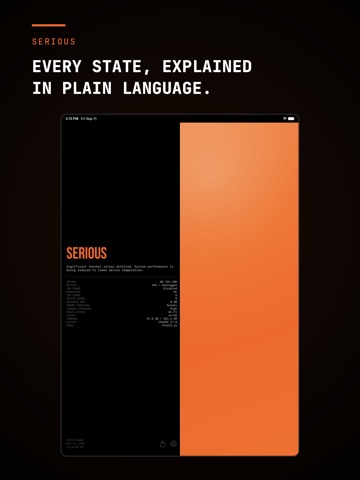
The app reads the thermal state iOS itself uses to make those decisions — Nominal, Fair, Serious, Critical — and puts it on one screen, in one color, with a plain-language explanation of what the system is doing and what you are likely to notice.
ON THE SCREEN
- The current thermal state, in full color
- What that state means and what it affects
- Thermal pressure and memory pressure
- Uptime
- Battery level and charging status
- Low Power Mode
- Processor, CPU core count, and active cores
- Physical RAM
- Radio access type
- Storage used and total capacity
- System version, device model, and locale
- The time the current state began
- An option to keep the screen awake while the app is open
COLOR SCHEMES
The four state colors are a default, not a requirement. Swap them for another palette — including one that trades green and yellow for white and cyan, for anyone who doesn't read green as calm.
WIDGETS
Home Screen: a Medium widget showing the state, its color, battery level, Low Power Mode, and uptime.
Lock Screen: inline and circular widgets, so the state is there before you unlock.
WHAT IT DOES NOT DO
It does not report degrees. iOS does not make a temperature reading available to apps. What it does make available is the four-state assessment the system acts on — which is the reading that actually predicts what your phone will do next.
It does not cool your phone down. No app can. It tells you when your phone is cooling itself, and how hard it is working at it.
PRIVACY
No account. No sign-in. Anonymous analytics only: a device identifier and interaction events, not linked to your identity and never used for tracking.
Free. No subscription, no ads, nothing to unlock.