Clean Wave - Speaker Cleaner

Clean Wave - Speaker Cleaner Summary
Clean Wave - Speaker Cleaner is a free iOS app in Music And Audio by Vasilkoff Ltd. Released in Sep 2026 (1 month ago). Store last updated Oct 10, 2026
Clean Wave - Speaker Cleaner SDKs Summary
App not yet scanned for SDKs.
0★
Ratings: 0
Screenshots




App Description
Speaker Cleaner — Your everyday sound toolkit.
Explore sound with guided speaker sessions, an adjustable tone generator, estimated sound-level readings, stereo playback and camera snapshots. Speaker Cleaner brings practical audio tools together in a simple interface for iPhone and iPad.
GUIDED SPEAKER SESSIONS
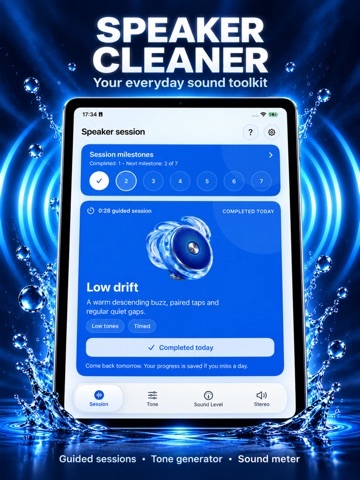
Follow a 7-session plan with short audio routines that combine different tones, sweeps, pulses and pauses.
Complete one guided session per local day and track your milestones as you go. Miss a day? Your progress stays saved, so you can return and continue your plan.
Each session includes a description and duration, helping you understand what you are about to play.
YOUR SOUND. YOUR CONTROL.
Choose a comfortable volume before starting a session and stop whenever you need. Follow the simple setup guidance and choose optional vibrations on supported devices.
TONE GENERATOR
Explore individual frequencies with easy-to-use controls.
• Swipe vertically to change the frequency.
• Make adjustments with the plus and minus buttons.
• Enter a frequency using the Edit control.
• Tap Play tone to listen at your chosen setting.
Whether you want to hear a particular pitch or explore how different tones sound, the frequency readout keeps your selected setting clear.
SOUND-LEVEL METER
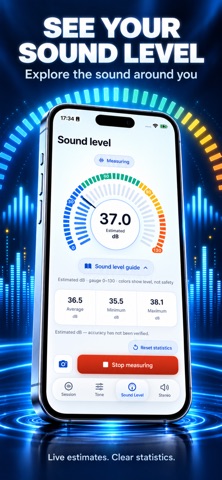
Get an estimate of the sound level around you using your device’s microphone.
The colorful gauge presents the current estimated dB reading, while the statistics show average, minimum and maximum levels during measurement. Open the sound-level guide for context, or reset the statistics to begin a fresh observation.
SOUND SNAPSHOTS
Put sound readings in the picture.
Use the camera view to capture a sound snapshot with an estimated dB reading, date, time and average, minimum and maximum statistics displayed over the image.
Sound is measured through the microphone; the camera provides the visual context.
LEFT AND RIGHT STEREO PLAYBACK
Choose the left channel, right channel or both, then press Play.
Enable automatic alternation to switch between the left and right channels while audio is playing. Channel playback lets you explore your selected audio output with straightforward controls.
DESIGNED TO KEEP THINGS SIMPLE
Move between Session, Tone, Sound Level and Stereo from the main navigation. Clear controls, readable measurements and a clean blue-and-white de