Time Journal: Time Tracker

Time Journal: Time Tracker Summary
Time Journal: Time Tracker is a free iOS app in Productivity by Daniel Linares Saab. Released in Sep 2026 (1 month ago). Store last updated Sep 22, 2026
Time Journal: Time Tracker SDKs Summary
App not yet scanned for SDKs.
0★
Ratings: 0
Screenshots




App Description
Where did today actually go?
Most of us can't say. Time Journal keeps an honest record of how you spend your hours, so instead of guessing, you know.
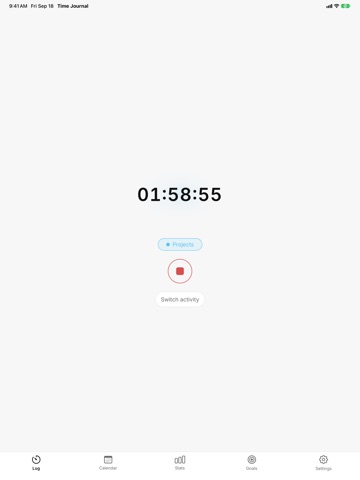
Start a timer when you begin something and stop it when you're done. Or skip the timer and fill the day in later. Then look at the breakdown and decide for yourself what it means.
That's the whole app. No advice, no scores, nobody looking over your shoulder.
Two ways to log
• Live timer: one tap on an activity starts tracking. Switch to a different activity without stopping first. A running timer appears as a Live Activity on your Lock Screen and in the Dynamic Island, so you never lose track of what's counting.
• Quick log: add an entry after the fact with a start time, an end time, and an activity. Suggestions from your recent entries make it quick.
Missed a few days? Fill them in whenever you like. The app won't mention it.
See your time
• Day view: every logged hour as a color-coded timeline. One glance shows what the day was actually made of, and where the gaps are.
• Breakdown chart: your time by activity, filtered to today, this week, last month, or any range you pick.
• Trends: how each activity moves week over week, so you can watch a change take hold instead of guessing at it.
Set a budget, if you want one
Pick an activity and a weekly hour target. Five hours of exercise. Three hours of reading. A ceiling on social media. Progress updates as you log, and each week starts fresh.
Goals are entirely optional. Ignore them and the app works exactly the same.
Make it yours
Nine activities are ready to go: Work, Projects, Cooking, House Chores, Entertainment, Learning, Social Media, Exercise, and Sleep. Turn off the ones that don't fit, add your own, give each one a color, and reorder them so what you use most sits at the top. Light and dark themes included.
Notifications you control
Two of them, and you can switch either off:
• A nudge when a timer has been running longer than you'd expect, in case you forgot to stop it.
• A periodic check-in asking what you're doing right now, only during the hours you choose.
That's all. No streak reminders, no "we miss you," no marketing.
Your data stays on your phone
• Works completely offline. No connection needed for anything.
• No account, no sign-up, no email address.
• Nothing is uploaded, synced, or sold. Your entries stay on