STL Viewer: 3D Print & G-code

STL Viewer: 3D Print & G-code Summary
STL Viewer: 3D Print & G-code is a free iOS app in Tools by Sahana A S. Released in Sep 2026 (1 month ago). Store last updated Oct 20, 2026
STL Viewer: 3D Print & G-code SDKs Summary
App not yet scanned for SDKs.
0★
Ratings: 0
Screenshots




App Description
Someone sent you a model. It's a 3MF, you're away from your computer, and your phone can't open it. LayerPeek opens it, then tells you what you need to know before you print: will it fit your printer, how many plates it has, and what might go wrong.
It's a 3D model viewer made for printing: an STL file viewer, a 3MF project viewer and a G-code layer viewer in one app.
No account. Your files are read on your device and never uploaded.
OPEN THE FILE YOU WERE SENT
• STL, 3MF, OBJ and G-code files, plus sliced .gcode.3mf projects
• ZIP downloads from model sites: pick the part you want from inside the archive
• Open from Files, iCloud Drive, Mail, AirDrop or a chat app with Open in…
• Large models are simplified for display, while measurements use the full mesh
WILL IT FIT YOUR PRINTER?
Pick your printer once. Every model you open shows whether it fits the bed, with the spare room in millimeters. If it doesn't fit as it sits, LayerPeek checks whether turning it on the bed would make it fit.
3MF PROJECTS, NOT JUST SHAPES
Opens 3MF projects from popular slicers with their plates and filament colors. Switch between plates and see which parts sit on each one.
SLICED FILES: TIME AND GRAMS FROM THE FILE
Sliced .gcode.3mf projects already carry the numbers your slicer calculated. LayerPeek reads the print time, the grams of each filament color and the plate thumbnails straight from the file. Plain .gcode files show the print time and filament use written in their header.
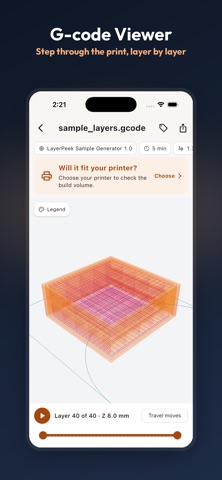
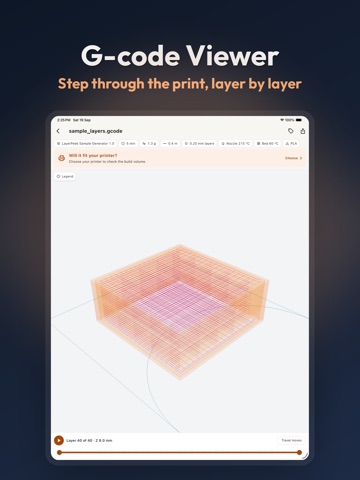
G-CODE LAYER VIEWER
• Drag the scrubber to step through the print layer by layer
• See extrusion and travel moves in different colors
• Print time and filament use, read from the file
MEASURE AND CHECK THE MESH
• Overall dimensions in millimeters
• Tap two points to measure the distance between them
• Mesh health: holes and open edges that can cause slicing trouble
• Overhang shading shows the areas likely to need supports
WEIGHT AND COST ESTIMATE
Choose a material and your price per kilogram. For unsliced models, LayerPeek estimates a typical print (2 walls, 15% infill) and also shows the fully solid weight. Sliced files show the grams your slicer calculated.
MAKE PARTS THAT FIT
Need a part rather than a file? Pick a template, set the sizes in millimeters, see it on your printer's bed and save an STL or 3MF:
• Cases for popular microcontroller and single-board compu