Flip 74: Retro Flip Clock

Flip 74: Retro Flip Clock Summary
Flip 74: Retro Flip Clock is a mobile iOS app in Tools by Hiroaki Tajima. Released in Oct 2026 (recently released ago). Store last updated Oct 2, 2026
Flip 74: Retro Flip Clock SDKs Summary
App not yet scanned for SDKs.
0★
Ratings: 0
Screenshots




App Description
Turn your iPhone or iPad into a real 70s flip clock.
Flip 74 brings back the split-flap desk clock: heavy cards that fall with a soft clack every minute, lit like a real clock on a real desk. Set it on your nightstand, your desk or your kitchen counter and enjoy the time again.
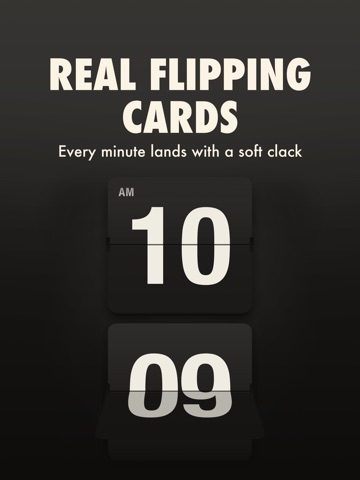
REAL FLIPPING CARDS
Every card has a hinge, a gap and a stack of flaps underneath. The top flap falls toward you and the bottom flap lands with a little bounce, just like the real thing.
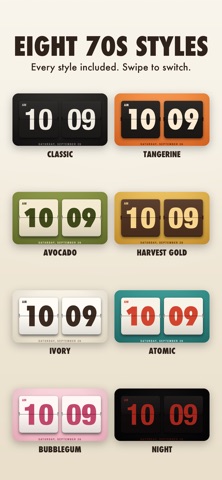
EIGHT 70s STYLES
- Classic: black flaps, bright numbers
- Tangerine: space-age orange plastic
- Avocado: kitchen green with cream flaps
- Harvest Gold: mustard, walnut and warm gold
- Ivory: soft cream for bright rooms
- Atomic: diner teal with red numbers
- Bubblegum: pink, pretty and bold
- Night: dim red numbers for sleepy eyes
Swipe left or right on the clock to flip through them. Every style is included.
MADE FOR YOUR NIGHTSTAND
- Night style switches on at bedtime and off in the morning, on your schedule
- Drag down anywhere to dim the clock, drag up to brighten it
- The screen stays on while the clock runs
- Screen care moves the clock a few pixels every minute to protect your display
BIG AND EASY TO READ
- Turn your phone sideways for extra large numbers
- 12-hour time with AM/PM on the card, or 24-hour time
- Optional seconds card and date
- Works on iPhone and iPad, in portrait and landscape
SIMPLE AND PRIVATE
- No ads, no account, no pop-ups
- Nothing is collected and nothing leaves your device
- Works offline
The flip sound follows your ring/silent switch and plays along with your music.
Questions or ideas? Tap Settings, then Help & Support.