Baseball Radar - Pitch Speed

Baseball Radar - Pitch Speed Summary
Baseball Radar - Pitch Speed is a free, ad-supported iOS app in Sports by Jonathan Mercandalli. Released in Sep 2026 (recently released ago). Store last updated Oct 15, 2026
Baseball Radar - Pitch Speed SDKs Summary
App not yet scanned for SDKs.
0★
Ratings: 0
Screenshots



App Description
Discover how hard you really throw!
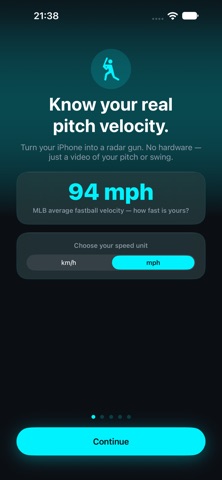
Baseball Radar turns your iPhone into a highly precise ball-speed tracking tool. Forget expensive radar guns—all you need is a video of your pitch, your swing, or a batting-practice session to instantly calculate the ball speed in mph or km/h.
Built for pitchers, hitters, coaches, and parents, this app relies on hard math and physics, not guesswork or unpredictable AI. By using the known length of a baseball bat as a physical scale, Baseball Radar analyzes the exact distance the ball travels between individual video frames to give you an incredibly accurate velocity reading.
HOW IT WORKS (IN 4 EASY STEPS):
1. Import and Trim: Import a video from your gallery or record a new one. Use our precision trimming tool to isolate the exact moment of release or contact.
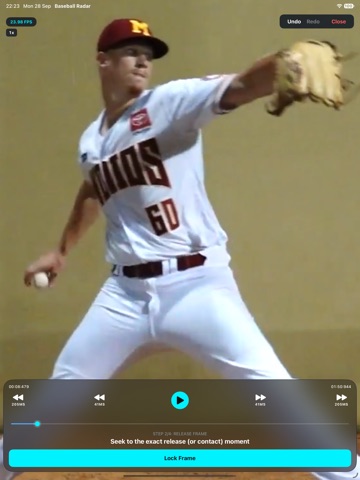
2. Find the Release: Use the frame-by-frame navigation controls to find the exact millisecond the ball leaves the hand or the bat.
3. Calibrate: Pinch and zoom into the video for pixel-perfect accuracy. Place a dot on the top of the bat, the knob of the bat, and the ball.
4. Track and Calculate: Advance the video by 1 to 3 frames, tap the ball's new position, and instantly get your ball speed in mph!
POWERFUL FEATURES:
• Every Bat Supported: Tee-ball, youth, BBCOR, wood, softball, fungo—pick your bat and the app uses its real length as the on-screen ruler.
• Pitch Velocity and Exit Velocity: Measure a fastball off the mound or a line drive off the bat with the same tool.
• Precision Frame-by-Frame Player: Step forward and backward frame-by-frame to find the absolute perfect point of release.
• Advanced Trimming Tool: Easily isolate your pitch. Use the "Zoom Range" feature to expand small sections of a long video for effortless micro-trimming.
• Slow-Motion Support: Fully compatible with high-framerate and slow-motion videos. The app automatically detects slow-mo metadata, or you can manually set the speed multiplier (1x, 1/2x, 1/4x, 1/8x, 1/16x) to ensure the math is always flawless.
• Pinch-to-Zoom and Pan: Zoom deep into the video while placing your tracking dots to ensure maximum accuracy without the dots getting in the way.
• Fully Offline and Private: No AI, no cloud uploads, and no internet required. All video processing and speed math is done locally on your device.
TIPS FOR THE BEST RESULTS:
• Side Angle: For the most accurate physics