Image Resizer Pro: Compress

Image Resizer Pro: Compress Summary
Image Resizer Pro: Compress is a free, with in-app purchases iOS app in Photo And Video by CloudEx Inc.. Released in Oct 2026 (recently released ago). Store last updated Oct 1, 2026
Image Resizer Pro: Compress SDKs Summary
App not yet scanned for SDKs.
0★
Ratings: 0
Screenshots


App Description
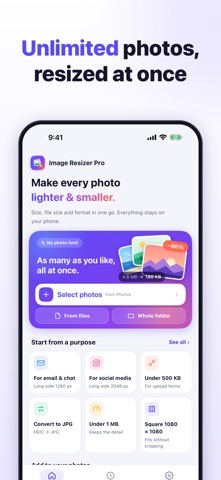
Resize, compress and convert many photos at once. Meet a form's "under 500 KB" limit, send pictures by email or chat, or turn HEIC photos into JPG in a few taps. Everything runs on your iPhone or iPad: your photos are never uploaded, and your originals are never overwritten.
■ BATCH RESIZE WITH NO LIMIT
• Pick as many photos as you like from Photos, choose images in Files, or take a whole folder, with or without subfolders.
• Or start from the Share Sheet with "Resize images".
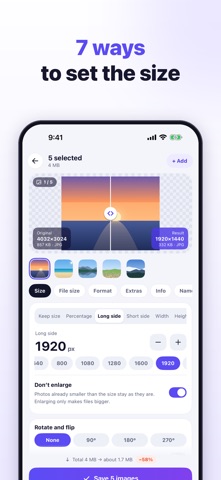
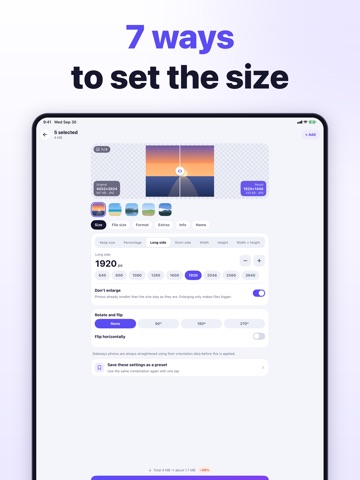
■ 7 WAYS TO SET THE SIZE
• Keep size (change only the file size or format), percentage, long side, short side, width, height, or width × height.
• For width × height: fit inside keeping the aspect ratio, crop the overflow, stretch, or add margins in any colour.
• "Don't enlarge" leaves smaller photos as they are.
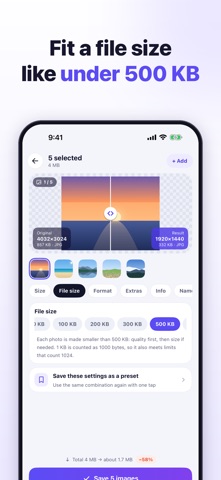
■ COMPRESS TO A TARGET FILE SIZE
• Pick 50 KB, 100 KB, 200 KB, 300 KB, 500 KB, 1 MB or 2 MB, or type any KB value.
• Quality is lowered automatically, then the dimensions shrink if needed.
• 1 KB counts as 1000 bytes, so results also fit sites that count 1024. Photos that miss the target are marked.
■ CONVERT FORMATS
• Open HEIC, HEIF, PNG, WebP, GIF (first frame), BMP and more.
• Save as JPG (accepted everywhere), PNG (lossless, keeps transparency) or WebP (usually smaller), or keep each photo's format.
• Adjust quality with a slider and pick a background colour for transparent PNGs saved as JPG.
• If re-saving would make a photo larger, the original is used.
■ NEVER SIDEWAYS
The camera's orientation is applied to the pixels, so resized photos stay upright in every app. Rotate by 90°, 180° or 270°, or flip.
■ LOCATION AND DATE
• Remove only the location (recommended), keep everything, or remove everything.
• "Keep the date taken" keeps resized photos in the right place in Photos instead of jumping to today.
• Print resolution: 72, 96, 150, 300 or 350 dpi.
■ PREVIEW BEFORE SAVING
Drag the divider to compare the original and the result, with dimensions, file size and the estimated total saving.
■ ONE-TAP PRESETS
Email & chat (1280 px), social media (2048 px), under 500 KB, 200 KB or 1 MB, square 1080 × 1080 (no cropping), websites (1200 px WebP), half size, convert to JPG and photo prints (300 dpi). Save your own presets too.
■ SAVING, RESULTS AND HISTORY
• Name files original + text, text + original, same name, n