FltPlan Go

FltPlan Go Summary
FltPlan Go is a free iOS app in Maps And Navigation by FltPlan.com (Flight Plan LLC). Released in Sep 2013 (13 years ago). It has 223 ratings with a 4.05★ (good) average. Based on AppGoblin estimates, it reaches roughly 538 monthly active users . Store last updated Dec 3, 2025
FltPlan Go SDKs Summary
App not yet scanned for SDKs.
4.05★
Ratings: 223
Screenshots

App Description
FltPlan Go is the essential companion to FltPlan.com. Because FltPlan Go is integrated with FltPlan.com, flight plans and NavLogs are automatically synced to your device along with Weight & Balance profiles, eLogbook profiles, and Checklists for offline and in-flight use.
• Create and file your flight plan on FltPlan.com, and it will sync to FltPlan Go to allow you to responsively edit the flight plan on the map
• NavLogs are automatically synced and downloaded for offline use
• Create and file your flight plan on FltPlan Go to sync to FltPlan.com
FltPlan Go delivers powerful routing, weather, mapping features, and comprehensive aviation information including:
AIRPORTS:
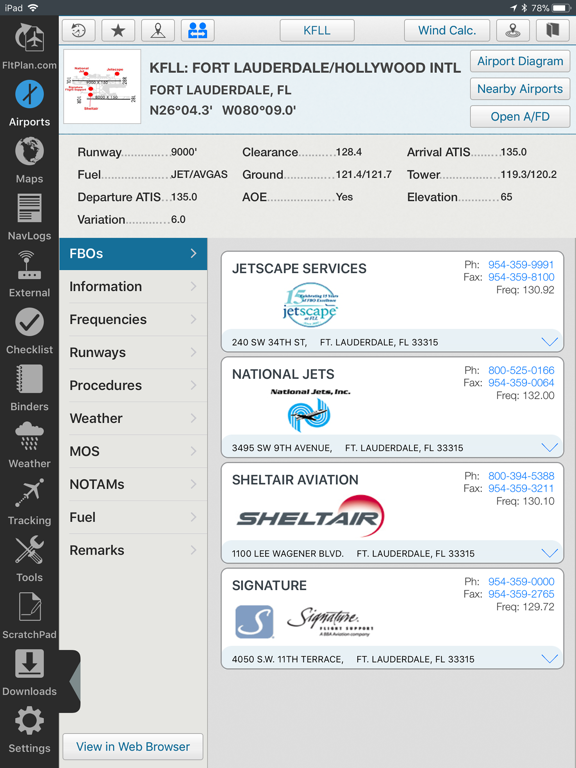
• Airport & FBO Information including current fuel prices
• Geo-Referenced approach plates & airport diagrams (U.S & Canada)
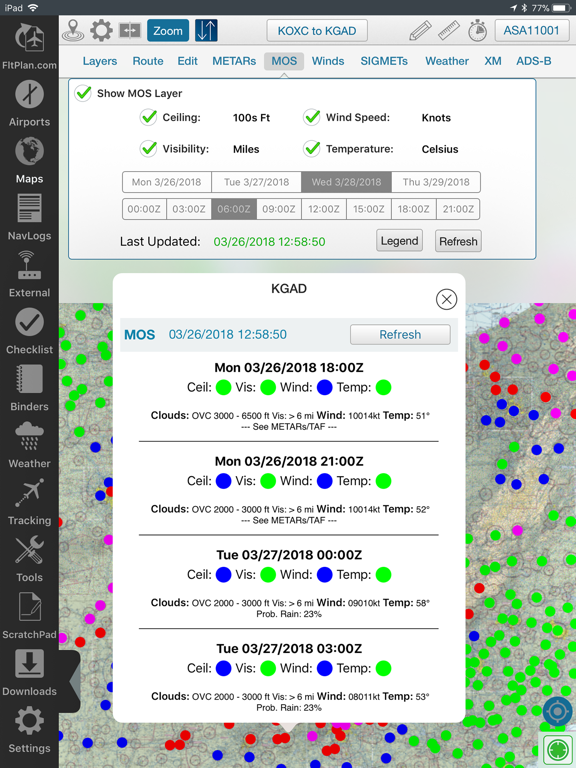
• Weather, including METARs, TAFs, PIREPs, & MOS
• NOTAMs & Remarks
MAPS:
• Sync FltPlan.com flight plans and interactively edit on the map
• File a flight plan from within FltPlan Go
• Moving maps with sectionals, enroute charts, & more
• Overlay approach plates & procedures on the map
• Layers including SUAs, TFRs, State Outline, Airports, Fuel Prices, CAP Grid, Stadiums, and Customs
• Display METARs, Winds, SIGMETs, and animated Weather on the map
• Display MOS weather forecasts (up to 4 days out) on the map
• Breadcrumbs with enhanced playback & option to open in Google Earth
• Split Screen to view information simultaneously, including airports, Flight Instruments (AHRS),
procedures, NavLogs, Howgozit, Checklists, & More
• Display Search & Rescue patterns
• Course Deviation Indicator (CDI)
• View Howgozit to track real time progress of your flight
• Create or import Custom Waypoints in KML or CSV format
• Overlay in-flight ADS-B traffic & weather or XM Weather*
NAVLOGS:
• NavLogs automatically sync and download for offline use
• Email or print NavLogs from within FltPlan Go
ADDITIONAL FEATURES:
• Weight & Balance - create computations with the option to email
• eLogbook - create logbook entries to sync to our eLogbook program
• Checklists - synced from FltPlan.com for your specific aircraft
• Binders - create flight specific binders with documents or procedures, airports, NavLogs, weather briefs, & more