Fun with Verbs & Sentences

Fun with Verbs & Sentences Summary
Fun with Verbs & Sentences is a mobile iOS app in Education by Hamaguchi Learning & Development, LLC. Released in Oct 2013 (12 years ago). It has 13 ratings with a 3.23★ (mixed) average. Based on AppGoblin estimates, it reaches roughly 9.00 monthly active users . Store metadata: updated Dec 24, 2025.
Store info: Last updated on App Store on Dec 24, 2025 .
3.23★
Ratings: 13
Screenshots

App Description
Created by Patti Hamaguchi, M.A., CCC-SLP, a licensed speech-language pathologist, Fun with Verbs & Sentences is the next step up for children who are learning to speak in sentences, understand past and present verb tensing, and formulate basic sentence structures. It's a great supplement to speech therapy or just a fun way to help children develop language! Now for the iPad, iPhone and Mac screens!
This app is developed for language/cognitive ages 2-6 with eye-popping color drawings and 266 delightful animations--a cutting-edge way to show and teach action words!
This app is our “full” version. It provides a fun way to visually show left to right sentence building (early literacy concepts) and sequence the parts of a sentence in the right order. This full version allows up to 75 users and groups and data tracking.
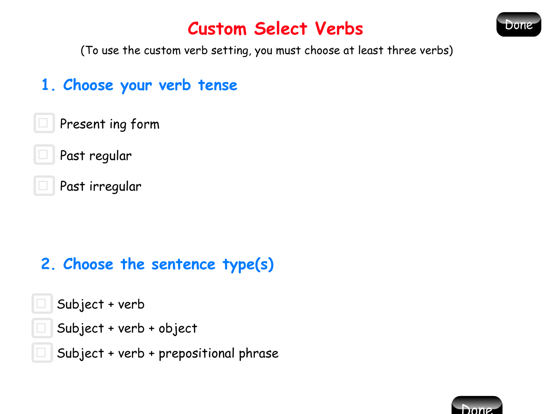
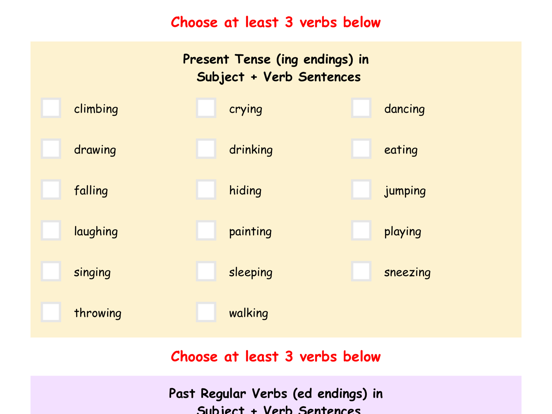
Want to show animations simply to elicit sentences and verb forms? Just select the "Watch & Say" activity--also a great pre/post assessment tool. Select the verbs from 39 choices or random, and choose the target sentence structures.
But this app does more! Play the "Build a Sentence" activity:
1) Choose your subject: There are three character choices in this app: a boy, a girl, and a bear. You can even opt to select "he" and "she" for extra pronoun practice!
2) Then choose your verb: The next step is choosing something for the girl to do. Use the Custom Verb setting or random. (There are always 3 picture choices, such as draw, jump, or eat). Let's choose "draw".
3) Choose your object or prepositional phrase: The last step is choosing something for the child to draw. (Choices for draw include: cat, spider, or cat).
4) The narrator now voices each part of the sentence slowly, as the circles flip around, one at a time, to reveal the associated pictures: “The girl…is drawing…a cat.” Unless de-selected, the narrator will then model the sentence at a quicker speaking pace, “The girl is drawing a cat.” The child is complimented for the sentence and then instructed, “After the video, it will be YOUR turn to say the sentence.”
5) The animation that shows the sentence that was created (i.e., “The girl is drawing a cat”) is now shown, typically with a sound effect. If the verb is present tense, (which is the default) it snaps back and loops continually, without sound.
6) The child is asked, “What is happening? Tell me