iPassworder Password Manager

iPassworder Password Manager Summary
iPassworder Password Manager is a free, with in-app purchases iOS app in Productivity by Dmytro Vynokurov. Released in Oct 2013 (13 years ago). It has 7.3K ratings with a 4.77★ (excellent) average. Based on AppGoblin estimates, it reaches roughly 19K monthly active users and generates around $<10K monthly revenue (100% IAP / 0% ads). Store last updated Jun 3, 2026
Recent activity: 4.00 new ratings this week View trends →
iPassworder Password Manager SDKs Summary
App not yet scanned for SDKs.
4.77★
Ratings: 7.3K
Screenshots


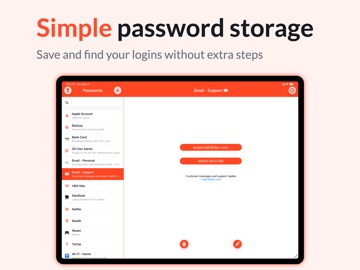

App Description
iPassworder is a fast and simple password manager built for everyday use.
Add a new password in seconds, find what you need quickly, copy it with one tap, and move on. No complicated folders, no clutter, and no unnecessary steps - just a clean way to store and access your passwords and private information.
Keep logins, emails, bank accounts, cards, and other sensitive data in one easy-to-use vault. Unlock securely with your Master Password, Face ID, or Touch ID, and access your saved data even when you are offline.
iPassworder also includes a built-in Password Generator, helping you create strong, unique passwords whenever you need them. With Quick Password Create, you can generate and fill a password while adding a new entry with just one tap.
The app is ad-free, including the free version. And if you choose to upgrade, there are no subscriptions - just a one-time purchase.
Key Features:
• Simple Interface: Clean, focused design with no complicated structure.
• Fast Password Access: Find and copy saved passwords with one tap.
• Face ID & Touch ID: Unlock quickly and securely with biometrics.
• Password Generator: Create strong, unique passwords instantly.
• Quick Password Create: Instantly generate and fill in passwords on the go.
• Automatic Device Syncing: Keep your data updated across devices.
• Offline Access: Use your saved data even without internet.
• Database Export: Easily back up or print your data.
• Ad-Free Experience: No ads, even in the free version.
• No Subscriptions: Upgrade once with a one-time purchase.
• Smart Auto-Lock: Stays unlocked briefly when you return, then locks after inactivity.