MoviPic - Movie to Photo

MoviPic - Movie to Photo Summary
MoviPic - Movie to Photo is a free, ad-supported iOS app in Photo And Video by Nekomimimi. Released in Nov 2013 (12 years ago). It has 8.8K ratings with a 4.58★ (excellent) average. Based on AppGoblin estimates, it reaches roughly 6K monthly active users and generates around $<10K monthly revenue (0% IAP / 100% ads). Store last updated Jun 12, 2026
MoviPic - Movie to Photo SDKs Summary
App not yet scanned for SDKs.
4.58★
Ratings: 8.8K
Screenshots

App Description
Get high-quality photos from your videos with MoviPic.
How to use:
1. Select a video from Photos.
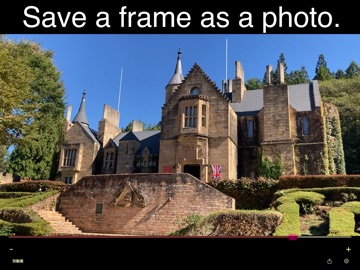
2. Drag the slider to select a frame.
* Swipe the screen for fine adjustment.
* "+" moves one frame forward, "-" moves one frame backward.
3. Tap the "Share" icon to export the photo.
◇
Turn on "Original Resolution/FPS Import" in Settings to load videos at their original resolution and frame rate, so your extracted photos keep the full quality of the source video (photo library access required).
◇
This app supports slow-motion (slo-mo) videos. With the setting above on, you can choose to load a slo-mo video at its original high frame rate, or as a converted normal video.
◇
To embed GPS and timestamp data from the original video, turn on the switches under "Export settings" on the "Information" screen.
After viewing an ad, a button to save directly to the "MoviPic" album in Photos will appear.