CropSize: Image Resizer Editor

CropSize: Image Resizer Editor Summary
CropSize: Image Resizer Editor is a mobile iOS app in Photo And Video by Aliaksei Khutarshchykau. Released in Nov 2013 (12 years ago). It has 772 ratings with a 4.67★ (excellent) average. Based on AppGoblin estimates, it reaches roughly 399 monthly active users . Store last updated Jun 17, 2026
Recent activity: 1.00 new ratings this week View trends →
CropSize: Image Resizer Editor SDKs Summary
App not yet scanned for SDKs.
4.67★
Ratings: 772
Screenshots




App Description
CropSize is your go-to app for precise image resizing and editing. Make your photos the perfect size, composition, and quality for photo library, social media, and various projects. Enhance results with accurate color adjustments and properly crafted metadata. Automate the entire editing process with batch processing and workflows. Share and print your creations in the right format and dimensions. All these tasks are easily achievable with CropSize—an excellent addition to your photo editing toolkit!
As an essential element of your editing arsenal, CropSize plays a distinctive role as it allows to specify exact sizes and positions for image crop and resize, where other apps offer only approximate solutions. It also provides detailed information throughout the editing process, making your experience more transparent and intuitive. Additionally, the app's ability to operate in various units of measurement can notably streamline your workflows.
With these comprehensive features, CropSize ensures you have the control you need to achieve your editing goals:
PHOTO CROP
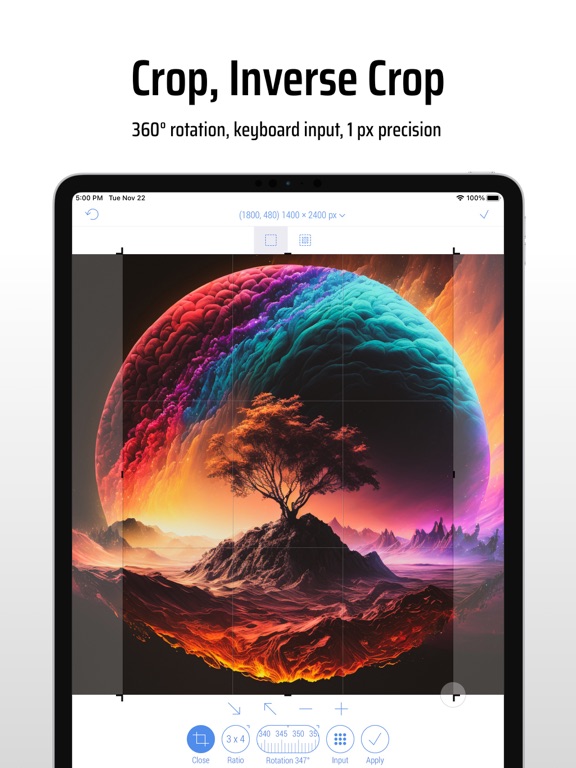
• Crop photos in Standard and Inverse Crop modes, using pixels, inches, centimeters, or percentages
• Adjust the size and position of the crop frame using gestures or by entering values on the keyboard
• Rotate images smoothly within a 0-360° range with a slider or specify rotation angle via keyboard (Long press slider)
• Change the crop aspect ratio using customizable presets (Long press Ratio button)
• Adjust the crop position and size by one pixel in correction mode (Tap a marker)
• View crop-specific image details, including size, position, rotation, and estimated file size
IMAGE RESIZE
• Resize images in Stretch, Insert, Clip, and Canvas Size modes, using pixels, inches, centimeters, or percentages
• Specify exact image size via the keyboard or customizable presets, up to 9000 x 9000 pixels (81 megapixels)
• Resize proportionally with a percentage slider or specify the relative size via the keyboard (Long press slider)
• Adjust position using gestures and one-pixel corrections for Insert, Clip, and Canvas Size modes
• Preview changes in actual size
• View resize-specific image details, including size, offset, and estimated file size
PHOTO FILTER
• Apply any combination of photo filters and effects, including Chrome, Bloom, Vignette, Sepia, Sharpen, Blur, and mo