OnStation - Digital Stationing

OnStation - Digital Stationing Summary
OnStation - Digital Stationing is a mobile iOS app in Books And Reference by PROJiTECH LLC. Released in Jul 2018 (7 years ago). It has 874 ratings with a 4.75★ (excellent) average. Based on AppGoblin estimates, it reaches roughly 4.6K monthly active users . Store metadata: updated May 14, 2026.
Recent activity: 2.00 new ratings this week View trends →
Store info: Last updated on App Store on May 14, 2026 .
4.75★
Ratings: 874
Screenshots


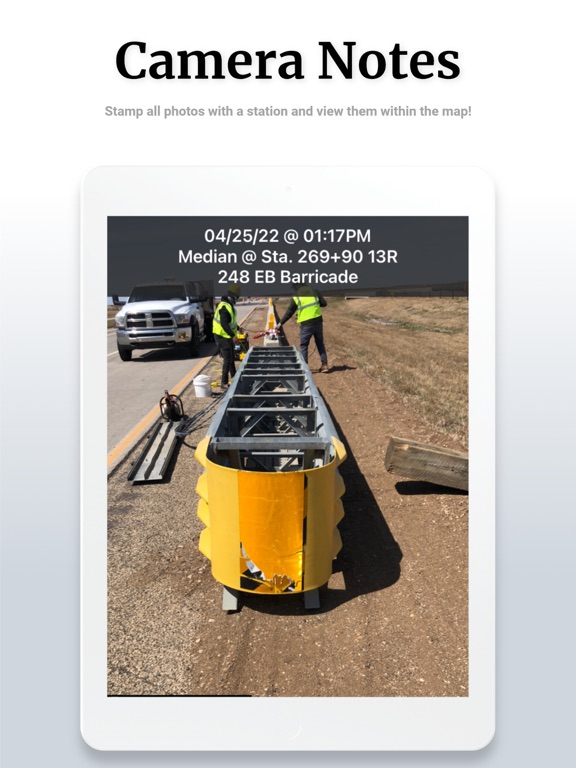
App Description
OnStation gives road construction crews live digital stationing on any phone. Know your exact station and offset instantly — no stakes, no rover, no manual calculation. Document what you see, where you see it, with every photo and note automatically anchored to a station reference.
WHAT IT DOES
Open the app on any phone and see your exact station and offset, tied to your project alignment. Drop a flag, take a photo, leave a note — all automatically geo-referenced to a precise station and timestamp. Your documentation builds itself as work happens, not at the end of the shift.
WHO USES ONSTATION
Prime contractors and field crews — Eliminate location hunting. Tie every photo and note to a station. Build defensible records for pay applications and change orders without extra paperwork. Density technicians log compaction test results directly in the field at the correct station, cutting hours of manual entry.
CEI inspection teams — Replace paper daily work reports with station-anchored photos, flags, and notes. Export documentation in DOT-ready formats. When a dispute arises over where work occurred, the evidence is already there.
DOT agencies — Create a shared platform across contractors, inspectors, and agency staff. Real-time oversight, standardized documentation, and Active Worksite safety notifications give agencies visibility that paper-based systems cannot provide.
KEY FEATURES
• Live digital stationing — instant station and offset on any phone, tied to the uploaded project alignment
• Geo-referenced flags, photos, and notes — every observation auto-anchored to a station and timestamp
• Design layer overlays — view plan sheets, utility maps, and CAD files on the live project map
• Flags and chat — drop a flag at any location, attach photos and notes, share across the project team
• DOT-ready reports — export documentation in standardized formats for closeout, audits, and compliance
• Active Worksite — alerts the traveling public of construction worker locations via Waze and navigation apps
• MM/LRS conversion — convert between stationing, milepost markers, and linear reference coordinates
• Integrations — connects with HCSS HeavyJob, Trimble, TransTech, FleetWatcher, and GPS/GNSS receivers
• Works offline — field documentation continues without connectivity
RESULTS FROM THE FIELD
• $18,000 saved per density