90 Day Workout Tracker 3

90 Day Workout Tracker 3 Summary
90 Day Workout Tracker 3 is a ad-supported, with in-app purchases iOS app in Health And Fitness by Jared Grant. Released in Jan 2014 (12 years ago). It has 4.00 ratings with a 4.75★ (excellent) average. Based on AppGoblin estimates, it reaches roughly 10 monthly active users and generates around $<10K monthly revenue (27% IAP / 73% ads). Store metadata: updated Mar 25, 2026.
Store info: Last updated on App Store on Mar 25, 2026 .
4.75★
Ratings: 4.00
Screenshots


App Description
90 Day Workout Tracker 3 is a great universal companion app specifically designed for all your extreme commercial 90 day workout logging needs.
Updated for iOS 26.
Added support for iCloud Backup and Sync. Your data will automatically be backed up and synced to your iCloud account and will automatically show up and sync with your other Apple devices using the same Apple ID.
Optimized for iPhone/iPad retina displays in Portrait or Landscape mode.
Select your workout level intensity: Tone, Normal, 2-A-Days, or Bulk.
Disable Auto-Lock feature keeps the app open when in use.
Use Sessions to start the 90 day routine again and keep the data for previous session. Go back to a previous session anytime by going up or down a session.
Import your previous session's data into your new session to use as a starting point. Data from the previous session will be shown in the previous field of each workout the 1st time it performed. The imported data is pulled from the last time each workout was to be performed according to the schedule.
Delete All Data button to start fresh or just delete the Current Session Data to start that session over fresh.
Take monthly photos to visually track your transformation progress over the 90 days. The angles include front, side, and back. Photos can be taken with the internal camera of your device or they can be imported from your photo library. View your photos sorted by all, front, side, or back. You can email them to yourself or friends.
Record your monthly measurements and email them to yourself as a .csv file.
Email yourself a .csv file of every completed 90 day workout for use in Excel. This can be done after each workout or in bulk on the Settings Tab for All Sessions or Current Session.
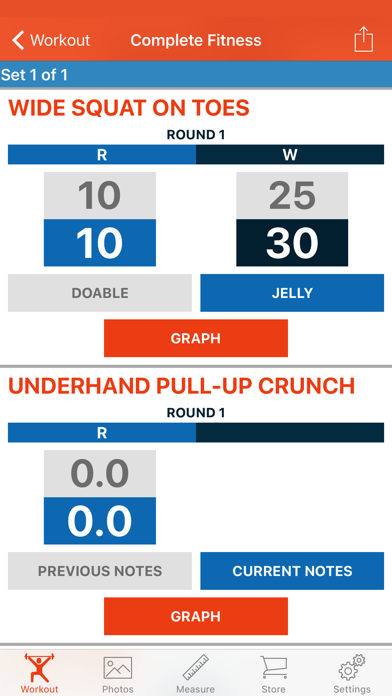
Track all your 90 day workouts with the easy to navigate interface that shows you what you did previously on every exercise to help you keep those reps up.
Entered the wrong data for an exercise? No problem. 90 Day Workout Tracker 3 allows you to go back to the workout anytime to make your corrections.
Checkmarks - never lose your place in the program again. You can now mark a workout as complete and a checkmark will show up in the list of weeks and workouts to visually indicate what you have completed.
***You can mark individual workouts as complete in the last cell of the workout list or by long pressing a cell in the wor