Layout Photo Collage - Mixgram

Layout Photo Collage - Mixgram Summary
Layout Photo Collage - Mixgram is a free, with in-app purchases iOS app in Photo And Video by Lyam Apps. Released in May 2014 (12 years ago). It has 109K ratings with a 4.65★ (excellent) average. Based on AppGoblin estimates, it reaches roughly 59K monthly active users and generates around $<10K monthly revenue (100% IAP / 0% ads). Store last updated Oct 1, 2026
Recent activity: 121 new ratings this week View trends →
SDK intelligence: AppGoblin detected 3 development tools(e.g. Google), 1 ad networks, 1 analytics: attribution,and 1 analytics: product integrated into Layout Photo Collage - Mixgram. View full SDK list →
Layout Photo Collage - Mixgram SDKs Summary
Layout Photo Collage - Mixgram was last scanned for SDKs on 2026-07-27. Below is the overview of third-party companies detected in the app. The full list of SDKs, permissions and unknowns is available here.
 Google
 nanopb
 SDWebImage
 AppsFlyer
 Firebase
4.65★
Ratings: 109K
Screenshots



App Description
Other apps make collages. Mixgram makes them MOVE. Turn your photos and videos into scroll-stopping animated collages, edit on a real video timeline, add trending effects, and export in 4K — one app, trusted by 50 million creators for over a decade. Make it once, share it everywhere: TikTok, Instagram, Reels, Stories, WhatsApp.
MIXGRAM AT A GLANCE
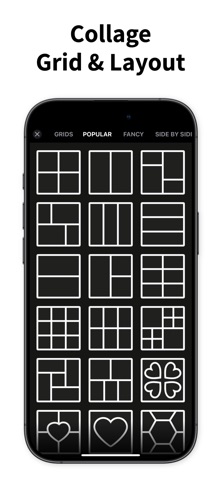
• Photo & video collages with hundreds of grids, layouts & templates
• Animated collage templates — drop in photos, get a share-ready video
• Full video editor: timeline, music, trims, speed & 4K export
• 40 viral effects: Glitch, VHS, Neon, Shake, Rain, Lightning & more
• Stitch Studio for scrolling videos & extra-long photos
• Sticker maker, cutouts, filters, fonts, backgrounds & doodles
ANIMATED COLLAGES
Professionally animated templates that bring your photos to life. Pick a template, drop in your photos, and get a scroll-stopping video in seconds — cinematic entrances, beat-driven layouts, and looping motion designed for the feed. Perfect for recaps, birthdays, photo dumps, and everything worth celebrating.
ONE-TAP ANIMATIONS
14 cinematic presets — Pop, Wiggle, Ken Burns, Spotlight, Photo Dump and more. Animate your whole project at once, or give every photo, sticker, and text its own motion. Preview any animation instantly on your own content.
A REAL VIDEO EDITOR INSIDE
Trim clips, add music, control speed and volume, and fine-tune every element on a silky-smooth timeline. Then export in stunning quality up to 4K, powered by a high-performance rendering engine.
VIRAL VIDEO EFFECTS
40 trending effects, one tap to apply: Glitch, VHS, Neon, Strobe, Light Leaks, Kaleido — plus Rain, Snow, Lightning and other atmosphere magic. Preview any effect on your own video instantly and dial in the intensity.
STITCH STUDIO
Think beyond a single post. Combine clips into seamless scrolling videos or stitch photos into extra-long panoramas — made for creators who want their feed to flow.
YOUR STYLE, YOUR RULES
• Hundreds of grids, layouts and a freestyle canvas — precise spacing, borders, and corners
• Exclusive stickers plus a cutout Sticker Maker — export your packs straight to WhatsApp
• Trendy fonts, curved text, filters, backgrounds, GIFs, and doodles
• Memes, wallpapers, and photo widgets for your home screen
NEVER LOSE A PROJECT
Sign in and your projects back up to the cloud