DrvRec

DrvRec Summary
DrvRec is a mobile iOS app in Tools by HIROFUMI MARUO. Released in Feb 2014 (12 years ago). Store metadata: updated Mar 16, 2023.
Store info: Last updated on App Store on Mar 16, 2023 .
0★
Ratings: 0
Screenshots


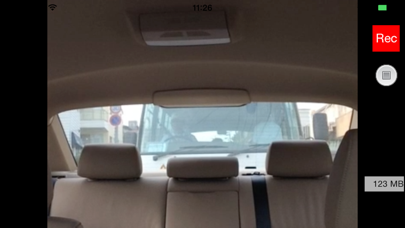
App Description
This drive recorder app is intended for practical use.
We aimed to use this app for day-to-day drive easily without constraint pursuing bare and really necessary functions thoroughly as a drive recorder.
This drive recorder has the following functions.
a. It has two modes; the continuous recording mode and the latest recording mode that retains about 2 or 5 minutes long of the most recent recording.
b. It offers three recording qualities; high quality, medium quality and low quality.
c. The recording quality can correspond to the performance of each iPhone from iPhone4S to the latest.
d. It marks all frames of the recording with the time and date and the longitude and latitude.
e. It can record using rear camera or face camera by switching them.
f. You can adjust the brightness of the rear video using face camera manually.
g. It stops recording in one minute after iPhone gets strong impulse.
h. Real-time display of the recording capacity.
i. Playback of recorded files.
j. The video file recorded will be saved locally and can be saved in the camera roll of the iPhone body.
k. Voice recording.
l. Displaying map and drived route.
m. To playback saved drive recorder video.
n. Eco-mode
It offers the continuous recording mode. It can keep all recording of the drive from departure to arrival in continuous recording mode.If you use it securely without worrying about recording capacity when the remaining memory capacity is small, you can select the latest recording mode.
The recording quality can be automatically controlled corresponding to the CPU’s performance of each iPhone model; and beside you can also select three (low, medium, high) recording qualities.
It marks all frames of recorded video with the time and date and the longitude and latitude. Since the video copied in the camera roll also has time and location information, you can reproduce and display the time and date and the longitude and latitude without depending on the playback application.
iPhone is equipped with two cameras; one as rear camera(the back of LCD) and other as face camera(LCD side). You can record using rear camera or face camera by switching them. The rear camera is assumed to take an image of the front direction of the car and the face camera takes the direction of the rear car.
When you shoot backward, it is usually too difficult to distinguish the image of t