Mi Wi-Fi

Mi Wi-Fi Summary
Mi Wi-Fi is a free iOS app in Productivity by Beijing Xiaomi Mobile Software Co., Ltd. Released in Apr 2014 (12 years ago). It has 196K ratings with a 4.42★ (good) average. Based on AppGoblin estimates, it reaches roughly 661K monthly active users . Store last updated Feb 21, 2024
Recent activity: 4.00 new ratings this week View trends →
SDK intelligence: AppGoblin detected 2 development tools(e.g. Airbnb Engineering),and 1 business tools integrated into Mi Wi-Fi. View full SDK list →
Mi Wi-Fi SDKs Summary
Mi Wi-Fi was last scanned for SDKs on 2026-07-30. Below is the overview of third-party companies detected in the app. The full list of SDKs, permissions and unknowns is available here.
 Airbnb Engineering
 Reachability
 Weibo
Weibo4.42★
Ratings: 196K
Screenshots

App Description
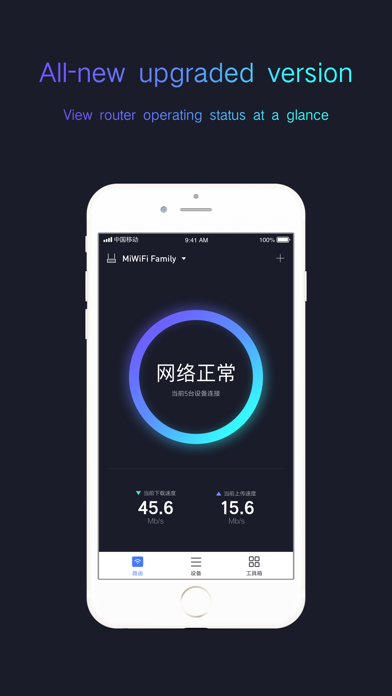
Version 5.0 of the Mi Wi-Fi app is now available! The new version delivers a smarter and more intuitive experience.
This app is your smart pocket Wi-Fi tool, helping you to better monitor your Mi Wi-Fi and instantly access the settings of connected devices.
Main features:
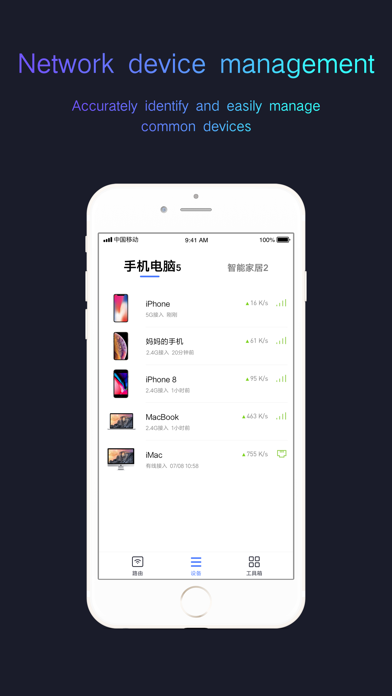
1. Device Management: Check networked devices anytime, anywhere, and view their status at a glance. You can set device-specific network and data access permissions, automatically allocate bandwidth for each device, and even set a nickname.
2. Unauthorized Access Prevention: Whenever an unauthorized device attempts to join the network, Mi Wi-Fi can automatically send you an alert, and even prevent high-risk devices from connecting.
3. Security Center: malicious website firewall.
4. Healthy Mode: switches off Wi-Fi at set times to prevent staying up too late and encourage healthy habits.
5. Reboot Schedule: timed reboots can keep the router operating at full efficiency.
6. Panel Indicator Switch: can be turned off to eliminate light pollution.
7. Red Envelope/Friend/Visitor Wi-Fi access modes: allow visitors to access devices more conveniently. Specific functions vary depending on the product model.
Contact Info
Email:miglobal-feedback@xiaomi.com