Voice Recorder Plus Pro :Memos

Voice Recorder Plus Pro :Memos Summary
Voice Recorder Plus Pro :Memos is a with in-app purchases iOS app in Business by AppDev Technolabs. Released in May 2014 (12 years ago). It has 701 ratings with a 4.48★ (good) average. Based on AppGoblin estimates, it reaches roughly 3.1K monthly active users and generates around $<10K monthly revenue (100% IAP / 0% ads). Store last updated Aug 19, 2026
Voice Recorder Plus Pro :Memos SDKs Summary
App not yet scanned for SDKs.
4.48★
Ratings: 701
Screenshots




App Description
Audio Recorder Plus Pro is the easiest way to record and playback sounds. and it records professional audio with high quality feature. this application turns your iphone into a real audio recorder
●● Recording ●●
√ One touch recording
√ Record and playback in the background
√ Fast, simple and easy to use
√ Simple User Interface
√ Pause and resume recordings
√ Compressed Audio format
√ Record for seconds or hours
√ Great and High Quality audio recording
√ Audio recording Output Settings-One touch recording
√ Record and playback in the background
●●●● File Manager ●●●●
● File Management Options
√ Folder Supported
√ Copy
√ Move
√Rename
√ Delete
●●●● Supported Audio Formats ●●●●
√ MP3
√ MP4
√ CAF
√ WAVE
√ M4A
●●●● Supported Sound Quality ●●●●
√ Law
√ Medium
√ High
●●●● Audio Player Features ●●●●
● Adjustable Play Controls
√ Fast Play
√ Medium Play
√ Slow Play
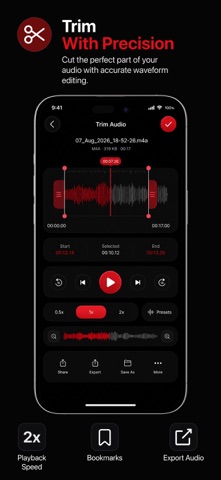
● Adjustable Audio Trim Controls
●●●● Supported Cloud Drives ●●●●
√ Box.Net
√ Dropbox
√ My disk
√ Sugar Sync
√ Skydrive
√ Webdav
√ GoogleDrive
√ FTP
●●●● Supported Cloud drives Features ●●●●
√ Upload your recordings to different clouds
√ Import from clouds
√ Export to different Cloud drives
√ Download your recordings from different clouds
●●●● Other Supported Features ●●●●
√ Email multiple recordings
√ Download the file from iTunes
√ Save recording to your mac Via iTunes