TwoPics FX - ultimate photoblend editor to union two photo, add effect elements and color filter

TwoPics FX - ultimate photoblend editor to union two photo, add effect elements and color filter Summary
TwoPics FX - ultimate photoblend editor to union two photo, add effect elements and color filter is a mobile iOS app in Photo And Video by stefan urban. Released in May 2014 (11 years ago). It has 1K ratings with a 4.45★ (good) average. Based on AppGoblin estimates, it reaches roughly 517 monthly active users . Store metadata: updated Mar 4, 2015.
Store info: Last updated on App Store on Mar 4, 2015 .
4.45★
Ratings: 1K
Screenshots

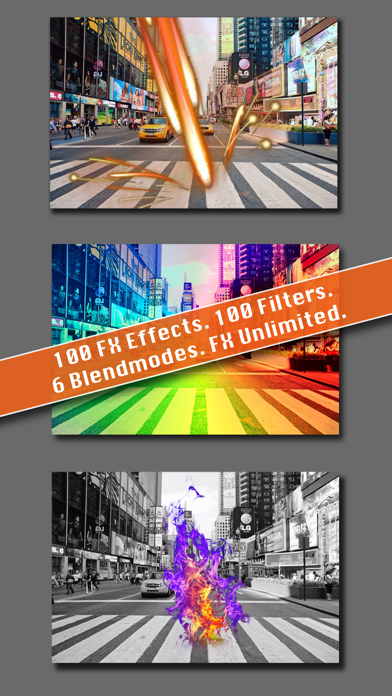
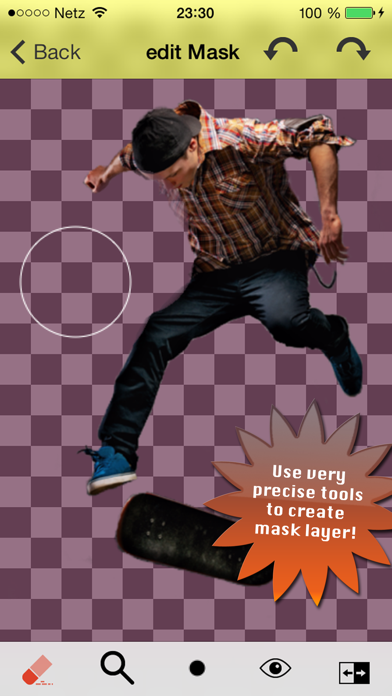
App Description
Combine your photos in infinite ways to create your own surreal and awesome images.
Some Facts:
========================
- Layer blender
- 100 different filters
- 100 different fx elements
- Mask editor
- Save image, foreground or background in full resoultion
- Tutorial to help you
- Help video
- and much more
From the creators of Color Photo Edit, aTypo Picture and Char comes the most hottest photo editing app TwoPics FX!
How it works:
- Load a background image or solid color
- Move, zoom or filter background
- Load a foreground image or select FX image (>100)
- Edit foreground image mask with our intuitive and precise tools
- Scale, rotate or move foreground layer
- Use different blend modes so they blend seamlessly
- Save your image, background or foreground in full resolution
Main tools (top) from left to right:
- Restart TwoPic FX Pro
- Info/Help
- Save image/layer or flatten layers
Main layer tools from left to right:
- Load background image or solid color
- Edit opacity of foreground image
- Load background image or fx effect
Main tools (bottom) from left to right:
- Zoom tool
- Switch layer tool
- Over 100 background filters
- Select blendmode
- Switch mask on/off
- Edit foreground mask
Mask edit tools (top) from left to right:
- Back to main screen
- Undo
- Redo
Mask edit tools (bottom) from left to right:
- Switch eraser and brush
- Brush/Eraser size and transparency
- Switch mask pattern
- Invert mask
Contact us:
- Feeback/ Support: support@orbitsoftware.de
- Twitter: http://www.twitter.com/orbit_software
- Internet: http://www.orbitsoftware.de
Enjoy TwoPics FX Pro!