LabQuest Viewer

LabQuest Viewer Summary
LabQuest Viewer is a mobile iOS app in Education by Vernier Software & Technology. Released in May 2014 (12 years ago). It has 1.00 ratings with a 5.00★ (excellent) average. Store last updated Oct 22, 2015
LabQuest Viewer SDKs Summary
App not yet scanned for SDKs.
5★
Ratings: 1.00
Screenshots
App Description
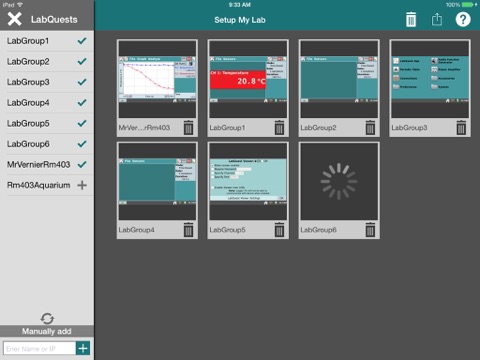
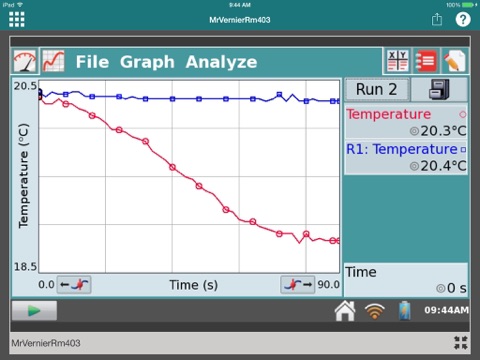
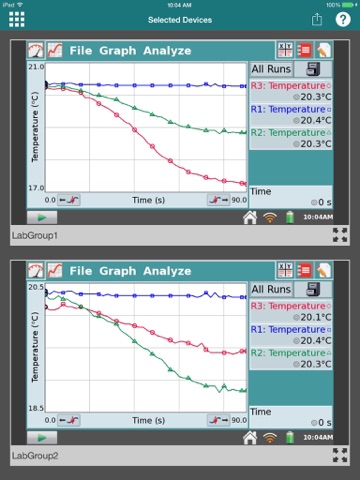
LabQuest Viewer allows you to use your classroom iPad to wirelessly view and control a Vernier LabQuest® data collection interface. This allows you to remotely monitor and interact with any LabQuest on your network. If your classroom iPad is equipped to display with a projector, LabQuest Viewer allows you to present any LabQuest screen for the entire class, enabling teacher-led demonstrations and student-led presentations. While viewing a LabQuest, use the share feature to capture a screenshot of the LabQuest display for use in lab instructions or other documents.
Vernier LabQuest Required
Network access to at least one LabQuest is required to use this application.
• Works with any LabQuest 2 (www.vernier.com/labq2)
• Can also be used with a Wi-Fi-enabled original LabQuest (www.vernier.com/wifi-usb)
Key features
• View and control a LabQuest from an iPad
• Monitor student progress on any LabQuest connected to your network
• Project the iPad running LabQuest Viewer for class demos and presentations
• Share screenshots of the LabQuest display for use in lab instructions
Additional customizable permissions (enabled through settings on a LabQuest)
• Permit viewing without control
• Password-protect a connection
Vernier Software & Technology has over 30 years of experience in providing effective learning resources for understanding experimental data in science and math classrooms. LabQuest Viewer is a part of Vernier’s extensive system of sensors, interfaces, and data-collection software for science education.