Toon Photo Editor: Clip2Comic

Toon Photo Editor: Clip2Comic Summary
Toon Photo Editor: Clip2Comic is a free, with in-app purchases iOS app in Photo And Video by Digital Masterpieces GmbH. Released in Jul 2014 (12 years ago). It has 106K ratings with a 4.76★ (excellent) average. Based on AppGoblin estimates, it reaches roughly 47K monthly active users and generates around $<10K monthly revenue (100% IAP / 0% ads). Store last updated Oct 6, 2026
Recent activity: -5 new ratings this week View trends →
Toon Photo Editor: Clip2Comic SDKs Summary
App not yet scanned for SDKs.
4.76★
Ratings: 106K
Screenshots



App Description
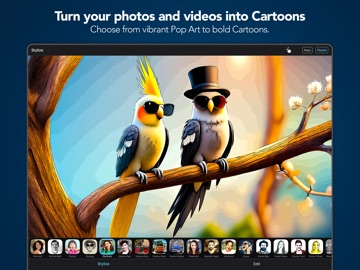
Turn your photos and videos into cartoons, comics, and caricatures — fun, high-quality art that makes everyone smile.
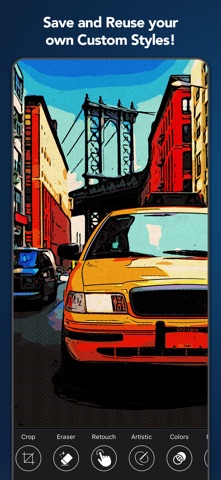
Clip2Comic transforms your images into playful cartoon and comic creations — right on your iPhone, iPad, or Mac. Turn family photos into comic book art, transform travel snapshots and cityscapes into illustrated scenes, or create coloring pages for kids. From portraits to landscapes, Clip2Comic delivers professional results that stand out. Your images stay 100% private. Everything is processed directly on your device for instant results and complete peace of mind. No internet required.
◆ Photos and Videos — Both Transformed
Create cartoon videos in stunning 4K resolution and 60 FPS — perfect for music videos, instructional content, or social posts that grab attention. For photos, export up to 64 megapixels — ideal for prints, posters, or sharing in crystal-clear detail.
◆ Comic, Cartoon & Sketch Styles
Choose from a curated collection of comic, poster, sketch, and classic cartoon effects — each crafted to deliver professional-quality results. From bold pop-art looks to detailed manga-style effects, find your perfect style. Personalize and save your own Custom Styles, synced across all your devices.
◆ Frames & Decorations
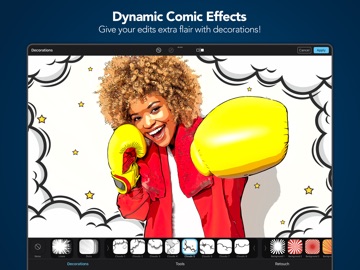
Complete the comic book look with professionally designed frames and dynamic decorations. Place your artwork in authentic comic panels — perfect for social media or storytelling. Add finishing touches with 30+ decorations, including comic dots, speed lines, and cartoon clouds.
◆ Precise Editing Tools
Fine-tune every detail to create exactly the effect you envision. Adjust outlines, detail levels, and colors. Use retouch tools with your finger or Apple Pencil — even create coloring pages for kids.
◆ Projects — Your Creative Work, Always Saved
Never lose a creative idea in progress. Save your edits as a project and return at any time — right where you left off. Explore variations, experiment, and share your projects with others.
◆ Caricature & Deformation Tools
Channel your inner street artist. Stretch, reshape, and bloat parts of your image — creating playful caricatures and exaggerated expressions with ease. Turn a portrait into a funny face, or add comic flair to any photo.
◆ Print & Share
Bring your cartoons into the real world:
• Postcards via MyPostcard — worldwide delivery