BikeBoard: Bike/GPS computer

BikeBoard: Bike/GPS computer Summary
BikeBoard: Bike/GPS computer is a mobile iOS app in Health And Fitness by BBB Cycling. Released in Jul 2014 (11 years ago). It has 6.00 ratings with a 4.67★ (excellent) average. Based on AppGoblin estimates, it reaches roughly 40 monthly active users . Store metadata: updated Oct 15, 2019.
Store info: Last updated on App Store on Oct 15, 2019 .
4.67★
Ratings: 6.00
Screenshots

App Description
**BBB Cycling’s Bikeboard – More than a cycling computer**
Why bother buying an expensive bicycle computer, when you already have a device that is capable of so much more? With BBB Cycling’s BikeBoard app, you will no longer be needing that extra device to keep track of your performance during a ride.
*BBB Cycling’s no nonsense philosophy
No unnecessary buttons and features, yet it does have the stuff that we feel is important. Clever choices have been made ‘under the hood’. If it ever happens that your battery is depleted or any crash occurs, your ride will always be saved till the last located position. Choices in data registration and filtering have been adjusted to come up with the most exact representation of your ride, including that one break where you schooled all your riding buddies.
**Features**
*GPS tracking & map view
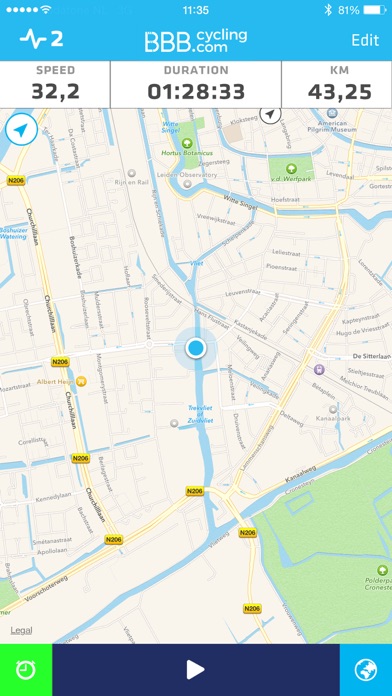
The BBB BikeBoard will track your ride and show your track on a map.
The map view can always be accessed during a ride and will show you your track including current speed, duration and distance.
*Connect and manage Bluetooth Smart sensors
Pair the BBB BlueCombo to get real-time speed and cadence information.
Pair the BBB BluePulse to get your heart rate information.
Name your sensors and link them to a specific bike.
Other brand Bluetooth sensors like Wahoo, MIO work perfectly as well!
*Customize layout
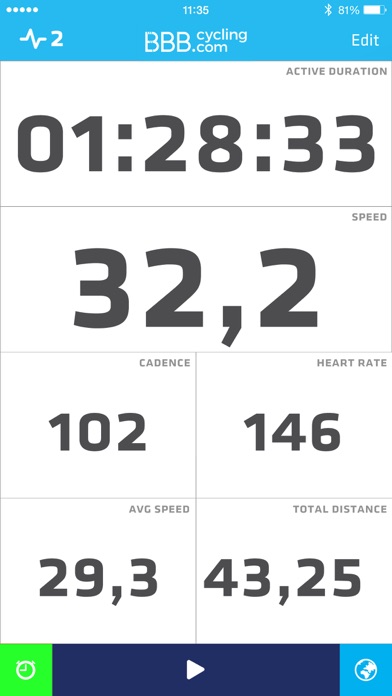
Customize the workout screen to your personal preference.
You can add and remove as many fields as you would like.
Add multiple pages, e.g. you can have a “ride” page and an additional page with an overview of averages.
*Quick settings
Accessible in the top left corner, the icon will show you the total connected sensors.
Tapping the icon will bring you to the quick settings view.
This settings view will always be accessible during a ride, providing you the ability to check, connect and manage your sensors and workout options during a ride.
*Workout history & export
See a summary of ride details including a map view with track, time and sensor information.
The ride will automatically be added to the summary on the start screen.
Once a ride is finished, it will automatically start preparing the export files.
Once the files are ready you can:
-Compatible with Strava
-Export the .TCX and .GPX files to manually upload it to your favorite platform
-Share your ride’s summary with a view of your track