Evermusic: Cloud Music Player

Evermusic: Cloud Music Player Summary
Evermusic: Cloud Music Player is a free, ad-supported, with in-app purchases iOS app in Music And Audio by EVERAPPZ SL. Released in Jul 2014 (12 years ago). It has 92K ratings with a 4.59★ (excellent) average. Based on AppGoblin estimates, it reaches roughly 226K monthly active users and generates around $10K+ monthly revenue (31% IAP / 69% ads). Store last updated Oct 19, 2026
Recent activity: 38 new ratings this week View trends →
SDK intelligence: AppGoblin detected 6 development tools(e.g. Google), 3 ad networks,and 1 analytics: product integrated into Evermusic: Cloud Music Player. View full SDK list →
Evermusic: Cloud Music Player SDKs Summary
Evermusic: Cloud Music Player was last scanned for SDKs on 2026-08-10. Below is the overview of third-party companies detected in the app. The full list of SDKs, permissions and unknowns is available here.
 Google
 Facebook
 AdMob
AdMob nanopb
 Alamofire
 OpenID
 Firebase
4.59★
Ratings: 92K
Screenshots


App Description
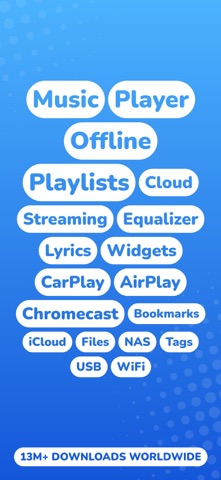
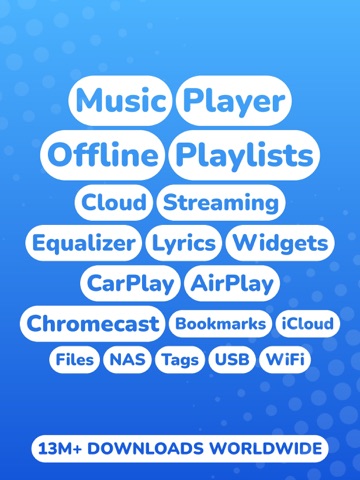
Evermusic – Cloud & Offline Music Player for iPhone and iPad.
Stream your entire music library from the cloud, listen offline, and take full control of your sound. Evermusic combines a powerful audio player, equalizer, playlist manager, and file organizer in one beautiful app.
• Play All Audio Formats
Evermusic supports the most popular audio formats: MP3, AAC, M4A, WAV, AIFF, ALAC, M4B, and many others.
• Connect Your Cloud
Create your own music streaming service by moving your music library to the cloud. Listen to your music directly from the cloud, freeing up space on your iPhone for photos and new apps. Access music from most popular cloud services like iCloud, Google Drive, Dropbox, OneDrive, pCloud, and many others. Access privacy-focused cloud services like MEGA, Internxt, and Proton Drive as well.
• Connect Media Servers
Connect Plex, Subsonic, Navidrome, Jellyfin, and Emby media servers with your library easily.
• Connect Your Computer or NAS
Connect using SMB, WebDAV, DLNA, FTP, SFTP, and NFS protocols. Advanced buffering technologies ensure smooth playback. Connect to personal NAS storage using native APIs for QNAP, WD My Cloud Home, Nextcloud, and Synology Drive. Import audio files from your computer using iTunes File Sharing and Wi-Fi file transfer.
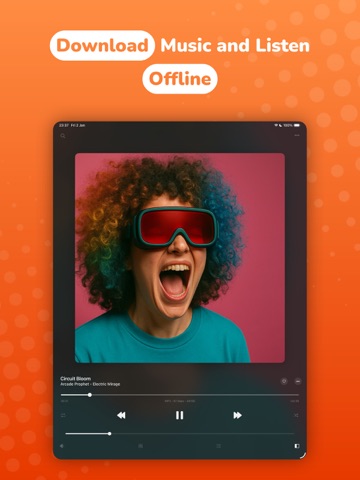
• Offline Music
Download your favorite songs, albums, and artists to listen offline. Enable the audio player cache to automatically download recently played songs.
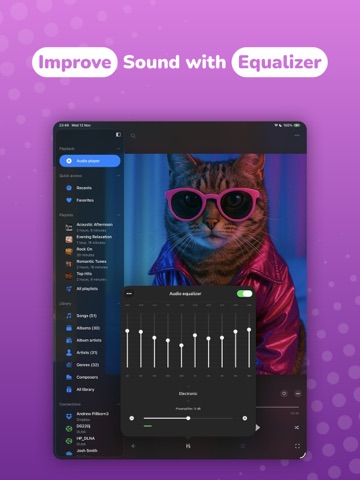
• Audio Equalizer
The built-in equalizer offers presets for popular music genres, plus manual settings to customize your sound and amplify your music.
• Gapless Playback
Enjoy smooth playback with no pauses between songs, perfect for conceptual albums and classical music.
• Crossfade Playback
Enjoy continuous playback with the crossfade feature, where the next song starts before the current one ends.
• Audio Effects
Make your music sound the way you like with built-in audio effects. Turn on volume normalization to keep every track at the same loudness, and adjust playback with reverb, delay, distortion, and spatial audio.
• Music Visualizer
Watch full-screen animated visuals that react live to your music. Choose from a large library of presets, or let them cycle.
• Lyrics and Comments
View embedded timed lyrics and comments for your audio tracks. Activate the lyrics widget on the Home Screen for quick ac