QR Code Reader & Generator App

QR Code Reader & Generator App Summary
QR Code Reader & Generator App is a free, ad-supported, with in-app purchases iOS app in Productivity by Penghui Zhao. Released in Jun 2014 (12 years ago). It has 9K ratings with a 4.58★ (excellent) average. Based on AppGoblin estimates, it reaches roughly 17K monthly active users and generates around $<10K monthly revenue (35% IAP / 65% ads). Store last updated Sep 21, 2026
Recent activity: 3.00 new ratings this week View trends →
QR Code Reader & Generator App SDKs Summary
App not yet scanned for SDKs.
4.58★
Ratings: 9K
Screenshots


App Description
QR Code Reader & Generator — Scan, Create & Customize QR Codes
The fastest free QR code scanner and barcode reader for iPhone and iPad. Scan any code in under a second, create stunning QR codes with your logo, and customize with colors, gradients, and unique patterns. No account required. No tracking. Just scan.
INSTANT QR & BARCODE SCANNER
• Lightning-fast scanning — point your camera and get results instantly
• Auto-detect and open URLs, WiFi, contacts, email, SMS, phone numbers, text, and GPS locations
• Safe link preview — see where a URL leads before you open it
• Batch scanning — scan multiple codes in one session
• Reads all major formats: QR Code, UPC-E, Code39, Code93, Code128, EAN-13, EAN-8, PDF417, Aztec, Data Matrix, and ITF
• Works offline — no internet needed to scan
• Full scan history saved automatically
POWERFUL QR CODE GENERATOR
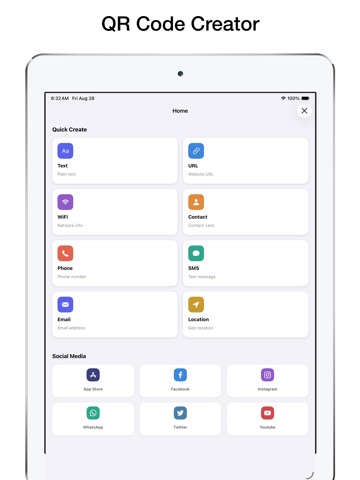
• Create QR codes and barcodes for URLs, WiFi, phone numbers, email, SMS, text, GPS, and contact cards (vCard, MeCard, BizCard)
• Social media templates for Instagram, Facebook, WhatsApp, Twitter, YouTube, and App Store links
• Add your own logo or brand image to any QR code
• High-resolution export — perfect for print, menus, posters, and business cards
PROFESSIONAL CUSTOMIZATION TOOLS
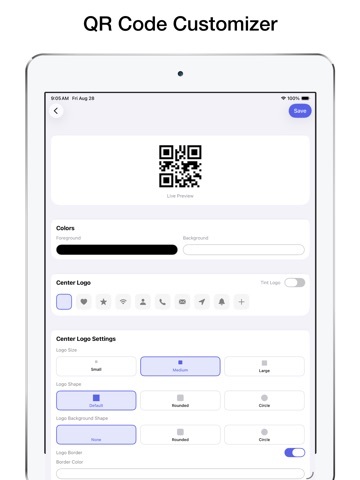
• Full Color Control: Custom foreground and background colors plus stunning gradient effects
• Logo Integration: Add your brand logo with size, shape, and tint options
• Pattern Styles: Choose from Square, Circle, or Rounded dot designs
• Border Options: None, Rounded, or Circle frame styles
• Adjustable Error Correction: Ensure your QR code scans perfectly every time
PRIVACY-FIRST DESIGN
• No account or sign-up required
• No user tracking — your data stays on your device
• No unnecessary permissions
• Clean, ad-supported free tier with optional Pro upgrade
UPGRADE TO QR READER PRO
• Unlimited QR scans and creations
• Unlock all customization tools
• Batch scanning and CSV export
• Remove all ads for a clean experience
Perfect for shoppers scanning product barcodes, businesses creating branded QR codes, restaurants sharing WiFi and menus, event organizers, teachers, and anyone who needs a fast, reliable, and private QR scanner.
Subscription Details:
• Payment will be charged to your iTunes account at confirmation of purchase.
• Subscription renews automat