8bit Painter - Pixel Art

8bit Painter - Pixel Art Summary
8bit Painter - Pixel Art is a free, ad-supported, with in-app purchases iOS app in Entertainment by Takayuki Miyagawa. Released in Jul 2014 (12 years ago). It has 59K ratings with a 4.66★ (excellent) average. Based on AppGoblin estimates, it reaches roughly 132K monthly active users and generates around $10K+ monthly revenue (32% IAP / 68% ads). Store last updated Jul 2, 2026
Recent activity: 100 new ratings this week View trends →
SDK intelligence: AppGoblin detected 2 ad networks(e.g. Google) integrated into 8bit Painter - Pixel Art. View full SDK list →
8bit Painter - Pixel Art SDKs Summary
8bit Painter - Pixel Art was last scanned for SDKs on 2026-09-03. Below is the overview of third-party companies detected in the app. The full list of SDKs, permissions and unknowns is available here.
 Google
 AdMob
AdMob4.66★
Ratings: 59K
Screenshots
App Description
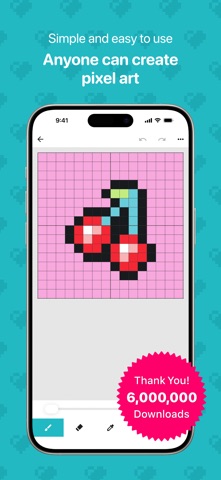
Over 6 million downloads!
An easy-to-use app for creating pixel art and 8-bit style artwork.
8bit Painter is a simple pixel art drawing app that beginners can start enjoying right away.
With intuitive controls, you can easily create pixel art for social media icons, game skins, illustrations, patterns, and more. It is also great for making designs for Perler beads, cross-stitch, knitting, and other handmade projects.
Key Features
- Simple controls that are easy for anyone to use
- Clear, focused tools for creating pixel art
- Perfect for beginners
- Great for making social media icons and game skins
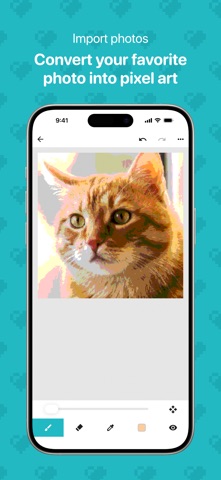
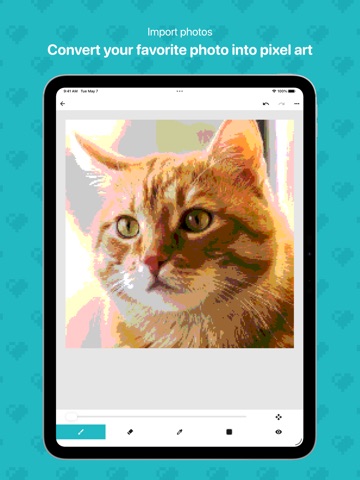
- Import photos and convert them into pixel art
- Choose colors intuitively with a color wheel, sliders, and palettes
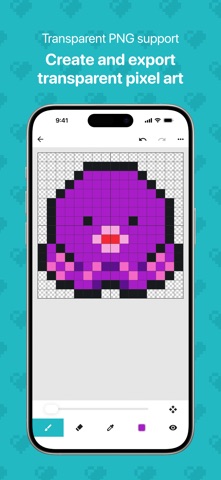
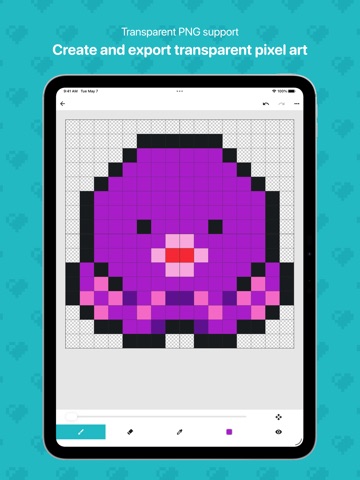
- Export transparent images in PNG format
- Export and import your artwork data
Canvas Sizes
16x16 / 24x24 / 32x32 / 48x48 / 64x64 / 96x96 / 128x128 / 160x160 / 192x192
Choose the right canvas size for your project, from small social media icons to detailed pixel art and craft patterns.
Image Import
Import your favorite photos and automatically convert them into pixel art.
It is also useful for creating social media icons, game skins, and pixel art assets.
Color Selection
Choose a base color with the color wheel, then fine-tune it with sliders or HEX input. You can also pick colors quickly from preset palettes, or save frequently used colors to your custom color palette for reuse.
Artwork Data Management
Export artwork data saved in your Gallery from the Settings screen, and import it again when needed. This is helpful for keeping your pixel art safe, preparing for a device change, or reinstalling the app.
Artwork Storage
- The initial artwork storage limit is 30 artworks
- Expand the limit up to 600 artworks by watching rewarded video ads or purchasing the Remove Ads add-on
Image Export
- Choose from 3 export sizes
- Supports transparent PNG images
- Useful for social media posts, game skins, and exporting assets
Remove Ads Add-On
- Hides all ads
- Expands the artwork storage limit to 600 artworks
- Can be restored after reinstalling the app
- One-time purchase
How to Expand Your Storage Limit
- Each rewarded video ad you watch increases your artwork storage limit by 5 artworks, up to 600
- Purchasing the Remove Ads add-on expands your artwork storage limit to 600 artworks
Recommended For
- Anyone who wants to start creating pixel a