Filterbox - Gradual Photography Filters

Filterbox - Gradual Photography Filters Summary
Filterbox - Gradual Photography Filters is a mobile iOS app in Photo And Video by Abdullah Al-Salloum. Released in Aug 2014 (11 years ago). It has 5.00 ratings with a 5.00★ (excellent) average. Based on AppGoblin estimates, it reaches roughly 4.00 monthly active users . Store metadata: updated Dec 16, 2014.
Store info: Last updated on App Store on Dec 16, 2014 .
5★
Ratings: 5.00
Screenshots


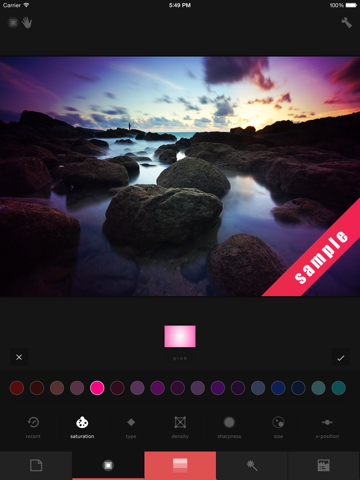
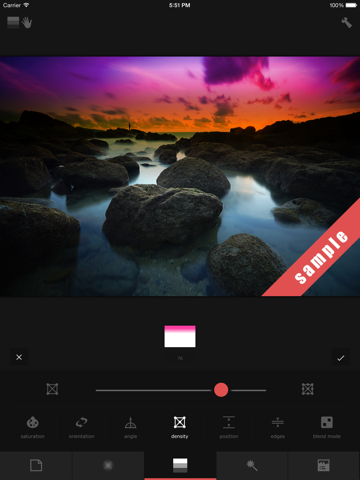
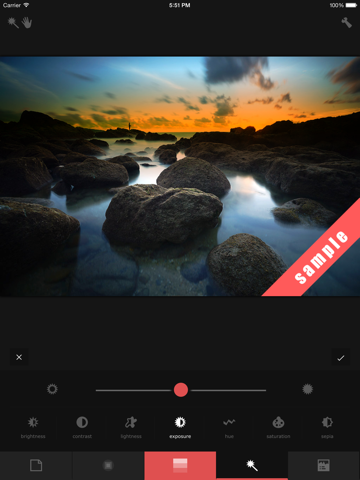
App Description
"Enrich your photos colours by adding textures, linear & radial gradual filters."
If you're looking for blue sky, green landscape, orange horizon during sunset, then Filterbox is the right tool for you.
DISCLAIMER: This is not a commercial app. It is a tool that I've programmed myself to easily add complex layers and filters to my photography. It was not in my intention to submit Filterbox to neither App Stores. However, people from the social media kept requesting this tool. Here it is for you, and I do keep updating it on a monthly-basis. Kindly contact me via e-mail before leaving a negative feedback as I do care about your experience.
WHAT TO EXPECT FROM FILTERBOX?
- Linear & Radial Gradual Filters: It gives you the ability to add unlimited number of linear and radial graduated colourful filters, making your nature, landscape, seascape, cityscape and travel photos look more professional and stunning. Gradients are fully customisable in terms of color, orientation, position, density, edges' sharpness, slope angle, size and blending mode.
- Layers, including regular and abstract textures, light leak effects, film effects and lens flare effects.
- Photo Adjustment: You can adjust photos in terms of brightness, contrast, lightness, exposure, hue, saturation, sepia, warmth and orientation.
- Exif Metadata Viewer: Get almost all the information stored in your JPEG photos' header, including camera brand & model, lens model, focal length, aperture, exposure, ISO, mode, white balance, light source, date & time, location on map, altitude, etc.
- Save & Share: Save your edited photos or share them directly through your favourite sharing or social media apps.
- Interface Languages:
-- العربية
-- Bahasa Indonesia
-- Dansk
-- Deutsch
-- English
-- Español
-- Français
-- Italiano
-- Nederlands
-- Svenska
-- Türkçe