Auto Gesture Detection

Auto Gesture Detection Summary
Auto Gesture Detection is a mobile iOS app in Tools by 方 沈. Released in Oct 2014 (11 years ago). It has 1.00 ratings with a 3.00★ (mixed) average. Based on AppGoblin estimates, it reaches roughly 2.00 monthly active users . Store metadata: updated Apr 10, 2024.
Store info: Last updated on App Store on Apr 10, 2024 .
3★
Ratings: 1.00
Screenshots


App Description
Introduction
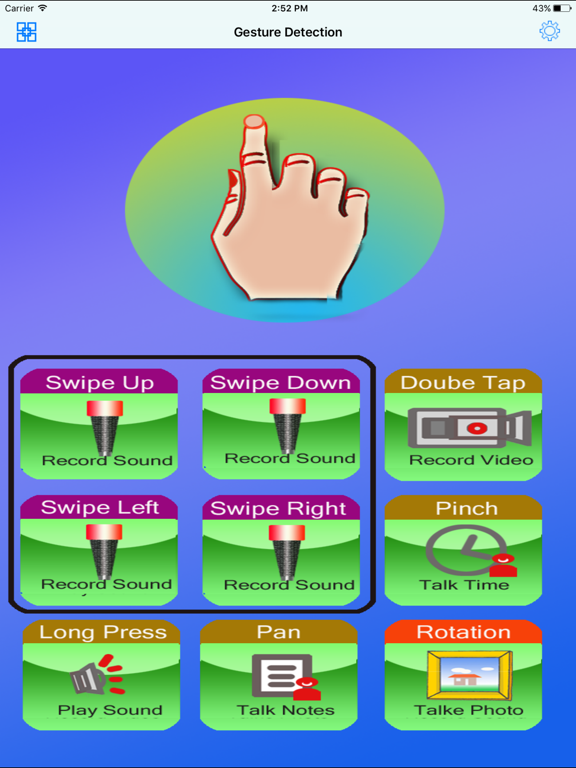
Auto Gesture Detection could provide eleven kinds of reactions according to the type of Gestures. We only need to make the gestures on the whole screen, the reaction will be fired.
Features
1. Detect the nine kinds of Gestures:Rotation, Pan, Long Press, Double Tap, Pinch, Swipe Up,Swipe Down, Swipe Left, Swipe Right/ The gesture of Pan has the lowest priority. That means, only other gestures are not detected, the App will think whether this gesture is Pan gesture.
2. Record video by the indicted gesture.
3. Take photo by the indicted gesture
4.Record sound by the indicted gesture
5.Play sound and music by the indicted gesture
6. Talk the text notes by the indicted gesture.
7 Report the current time by talking in English by the indicted gesture.
8 Talk the location information such as the latitude ,longitude, name of location.
9 Turn on the light
10 Talking counter by gestures detection
11 Talking counter by sound detection
12 Talking counter by proximity detection
Buttons
1.Menu button: Tap the menu button at the upper left corner, we could add the text notes,check the video clip, the photo, the sound file ,and select the music file for playing.The Video and the photo will be saved to the device album.The record sound will be saved to the local folder.
2 Setting button: Tap the setting button at the upper left corner, we could set our preferences.
How to set the preferences?
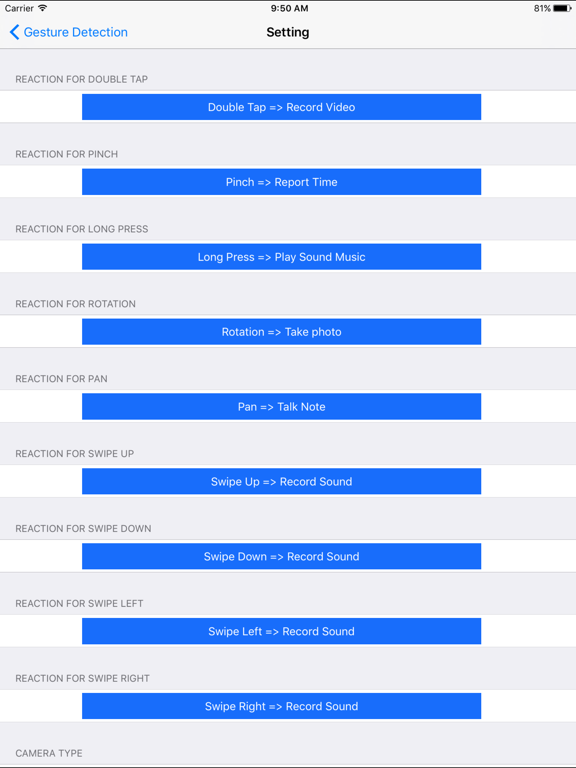
From the setting view, we could set many preferences:
1. we could select the reaction for the specific gesture.The reaction could be one of the six kinds of reactions.
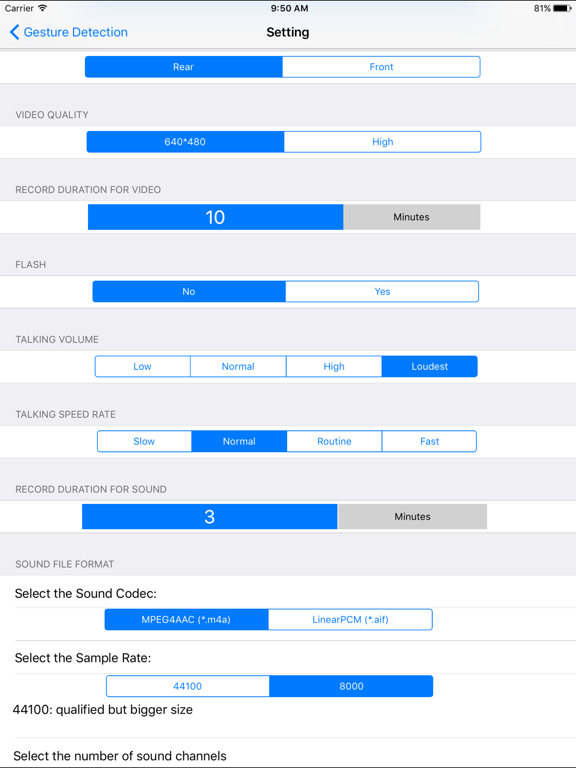
2 In the setting view, we also could set the max duration of the record video and set the max duration of the record sound file.
3 we could select the camera devices, set the video quality, and decide whether need to flash when taking the photo from the rear camera
4 We also could indict the talking volume for the talking notes. And change the talking speed.
5 We could select the sound codec for the record sound file, set the sample rate of sound data, and set the sound channel for one channel or two channels.
Menu list for the sound file, video file, photos and the notes of talking.
When we tap the menu button at the upper left corner, the menu will be displayed. This menu includes five items.
1 Video Clips. Tap this item, we could view the video files list in the device album