Neo Notes

Neo Notes Summary
Neo Notes is a mobile iOS app in Productivity by NeoLAB Convergence Inc. Released in Sep 2014 (11 years ago). It has 49 ratings with a 2.37★ (poor) average. Based on AppGoblin estimates, it reaches roughly 145 monthly active users . Store metadata: updated Oct 26, 2020.
Store info: Last updated on App Store on Oct 26, 2020 .
2.37★
Ratings: 49
Screenshots


App Description
Neo smartpen is an innovation which transfers the handwritten data to digital text by using technology.
Now, you can keep your handwriting in a digital form and bring them everywhere.
Neo Notes is a dedicated application of Neo smartpen. You can digitize your handwriting instantly and simultaneously. It also provides an offline mode that stores your handwriting and transfer when the pen is connected with your smartphone.
Transferred data can be easily edited and shared in a variety of platforms. Enhance your work productivity, learning, and self-development.
[Main Updates]
- The search function has been enhanced. From now on, you can search without running transcribe.
- The design has changed from Notebook cover to the Settings.
- You can share your handwritten documents in Microsoft Word(.docx) and PowerPoint(pptx) format. This function is experimental, and it will be stabilized gradually.
------------ Main Features -----------
[Digital Storage]
Neo smartpen saves the handwritten data to the connected smart device. Its sensitive pressure recognition saves the handwritten data on the Ncode notebook accurately.
[Editing Function]
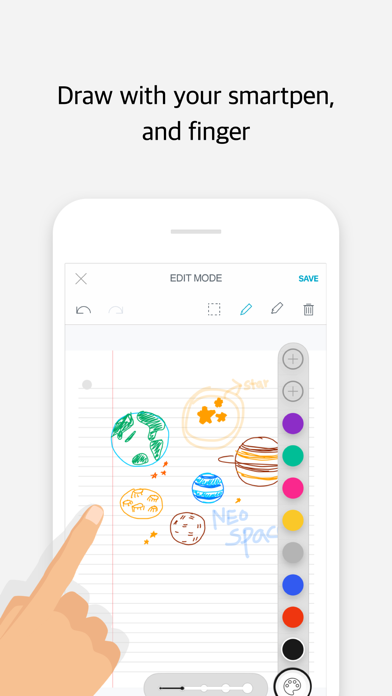
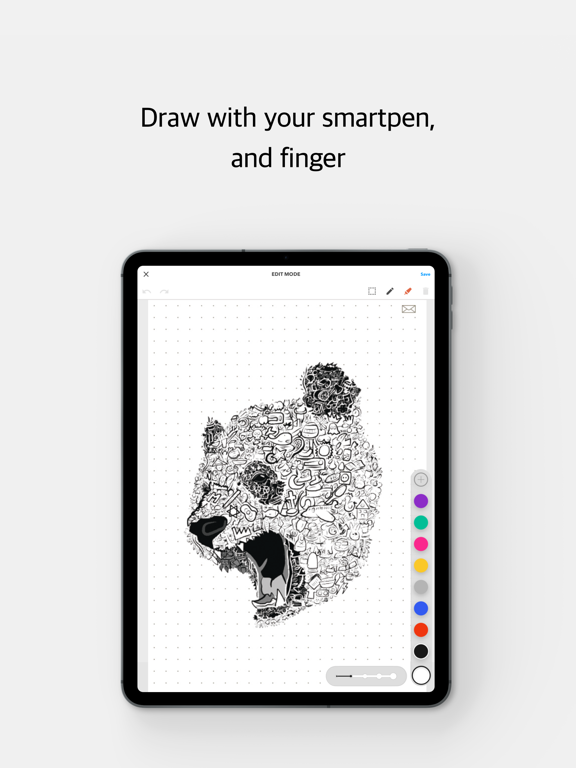
You can edit and change the font color and size as you prefer or delete any unnecessary data. You can also emphasize important information with a highlighter in edit mode.
[Text Transcription]
You can transcribe handwritten to digital text with a simple touch with a fingertip. Convert your written data to a digital text and copy & paste it on your memos or emails. Neo Notes support up to 15 different language transcriptions.
[Auto Save Options]
Use our “Authentication Center” and log in with your choice of Cloud services; OneNote, Evernote, Adobe CC or Google Drive. Then you can toggle on Auto Save Function at “Auto Save Options”. Now, you can check your data anywhere.
[Easy and Convenient Share]
Your handwritten contents can be shared via email, SNS and different applications in PDF, image, text and vector format.
[Google Drive Backup and Restoring]
If you upload your written contents to Google drive, then you can download it to other smart devices and continue to write or edit. Even if you wish to use different devices alternatively or change it to brand new one, you can save and download the existing data from Google drive.
[Record & Playback]
Record your voice while you write down your notes. You can p