Pharos Print

Pharos Print Summary
Pharos Print is a free iOS app in Productivity by Pharos Systems International. Released in Jan 2015 (11 years ago). It has 235 ratings with a 1.32★ (poor) average. Based on AppGoblin estimates, it reaches roughly 479 monthly active users . Store last updated Aug 5, 2026
Pharos Print SDKs Summary
App not yet scanned for SDKs.
1.32★
Ratings: 235
Screenshots


App Description
The Pharos Print app, part of the Pharos MobilePrint solution, allows you to easily submit content from your iOS device to a Pharos secure print queue. To use this app, Pharos MobilePrint and a Pharos secure print solution must be in place within your organization.
Features
• Easily submit content from your phone or tablet into a Pharos secure print queue.
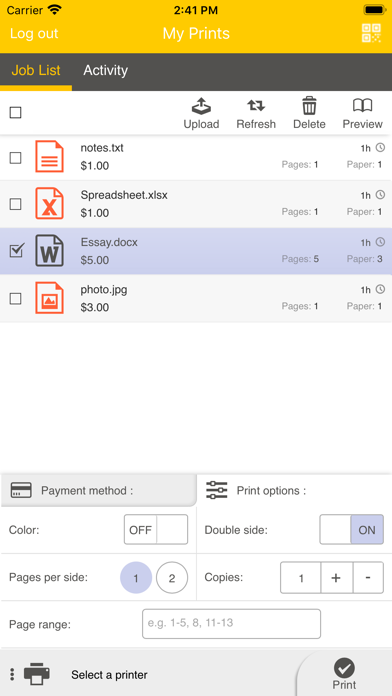
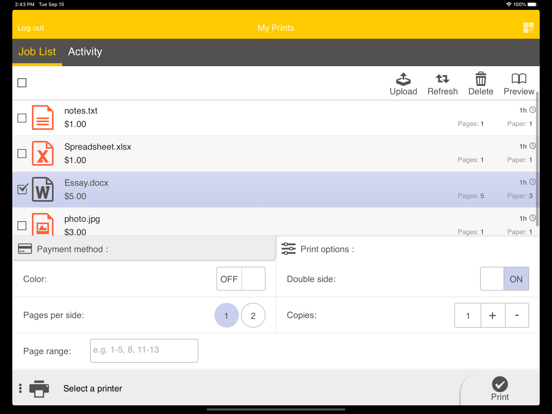
• Edit your finishing options before you print.
• Preview your document(s) before you print.
• Delete a print job from your Pharos secure print queue.
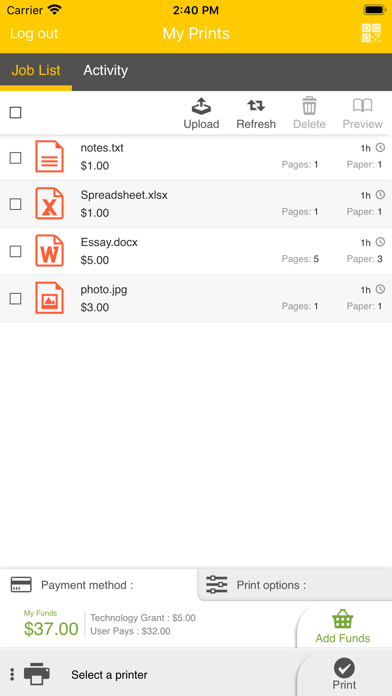
• View all documents in your Pharos secure print queue.
• View your Available Funds and job cost (when applicable).
• Release print jobs to the printer (if configured).
• Select printers for release by scanning QR code (if configured).
Operating Environment
• Supports iOS 14.0 and newer iPhone and iPad models.
• Supports Pharos MobilePrint 2.0+ with Pharos Uniprint 9.0+
• Supports Pharos MobilePrint 2.0+ with Pharos Blueprint 5.2+
• QR Print Release requires MobilePrint 2.4 and Uniprint 9.1 SP3
Supported Files (Important)
Uploading or opening files from other apps via “Open In” and "Sharing", or via the "Upload" button in the app supports the following file formats: Microsoft Office® documents, Microsoft Outlook®, PDF, images (JPG, GIF, PNG, BMP), text files (CSV, RTF & TXT), and OpenOffice documents.
How to use the features of Pharos Print app
[Note: some features or settings may be disabled by your organization, as noted]
A. Download and install the Pharos Print app to your iOS device.
B. Connect Pharos Print to your organization’s Pharos MobilePrint server.
a. Open the Pharos Print app.
b. Contact your organization’s IT administrator to obtain the Pharos MobilePrint server information (URL).
c. Enter the Pharos Server Name and Server Port (both are required).
d. Select Connect
e. The Pharos Print app will connect to the Pharos server and display a User Authentication Screen.
C. Authenticate to the Pharos Server.
a. Enter the credentials that you normally use to print (your username and password).
b. Select Log On to enter the Pharos Print app.
D. Files can be submitted either via the Upload icon in the app or by using the native iOS “Open In” or the "Sharing" command to submit your print job.
a. To upload supported documents from the app, simply log in and use the "Upload" button