Comic Art - Cartoon Effects
Comic Art - Cartoon Effects Summary
Comic Art - Cartoon Effects is a ad-supported, with in-app purchases iOS app in Photo And Video by TAIKI HIRATA. Released in Oct 2014 (11 years ago). It has 6.00 ratings with a 5.00★ (excellent) average. Based on AppGoblin estimates, it reaches roughly 2.00 monthly active users and generates around $<10K monthly revenue (22% IAP / 78% ads). Store metadata: updated Apr 21, 2023.
Store info: Last updated on App Store on Apr 21, 2023 .
5★
Ratings: 6.00
Screenshots



App Description
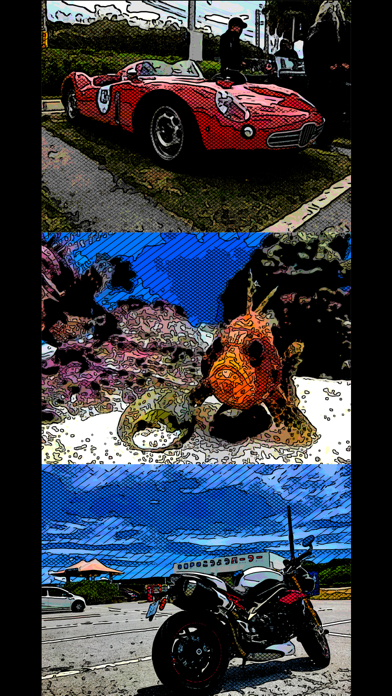
"Comic Art" is Art Photo Editor application that allows you to create "Comic illustration", "Cartoon illustration" and "Graphic novel tone illustration" Style Effect Image from camera, photographs and illustrations easily.
You will be able to create "Comic style illustration", "Cartoon style illustration" and "Graphic novel tone style illustration" from your photo and illustration by using Art Photo Editor app "Comic Art".
If you enjoyed by this App, I'm glad.
■List of adjustable items
1. Shadow setting
You can edit the solid fill in the dark areas of the image.
The items that can be adjusted are as follows.
(1) Shadow Area
(2) Shadow Depth
You can adjust the solid density of the image.
The darkness of the darkest part of the photo is constant, and you can adjust the solidness of the middle part from full black to no solid.
2. Tone setting
You can edit the tone applied to the image.
You can set the following 3 types of tones.
(1) Mesh Tone 1
Adds a mesh tone to the image.
The items that can be adjusted are as follows.
・Two type of Tone Area
・Mesh Spacing
(2) Mesh Tone 2
*To save the image with this tone, you need to purchase the Add-on.
Adds a mesh tone to the image.
Unlike Mesh Tone 1, no tone is applied to the brightest part of the image.
The items that can be adjusted are as follows.
・Two type of Tone Area
・Mesh Spacing
(3) Dot Tone
*To save the image with this tone, you need to purchase the Add-on.
Adds a dot tone to the image.
The items that can be adjusted are as follows.
・Tone Area
・Dot Size
3. Outline setting
You can edit the outline of the image.
You can set the following 3 types of outline.
(1) Type 1
The items that can be adjusted are as follows.
・Outline Strength
・Outline Width
(2) Type 2
*To save the image with this outline, you need to purchase the Add-on.
It has a finer outline than Type 1.
The items that can be adjusted are as follows.
・Outline Strength
・Outline Width
(3) Type 3
*To save the image with this outline, you need to purchase the Add-on.
It is a outline that looks like ink is bleeding.
The items that can be adjusted are as follows.
・Outline Strength
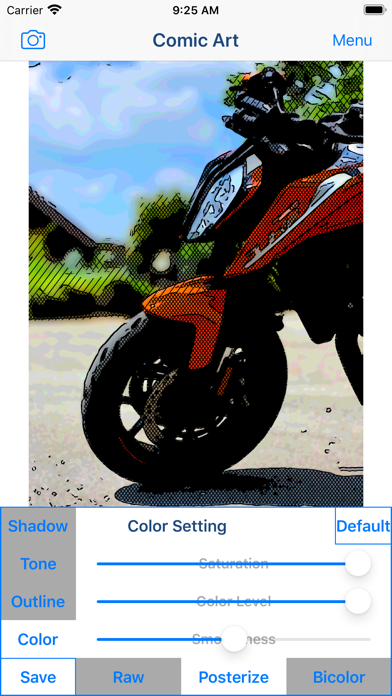
4. Color setting
You can edit the color of the image.
You can set the following 3 types of color.
(1) Raw
Use the original photo color as is.
The items that can be adjusted are as follows.
・Saturation
(2) Posterize
*To save the im