Daily Talking Watch
Daily Talking Watch Summary
Daily Talking Watch is a mobile iOS app in Tools by 方 沈. Released in Oct 2014 (11 years ago). It has 2.00 ratings with a 2.50★ (poor) average. Based on AppGoblin estimates, it reaches roughly 3.00 monthly active users . Store metadata: updated Jun 22, 2024.
Store info: Last updated on App Store on Jun 22, 2024 .
2.5★
Ratings: 2.00
Screenshots




App Description
Talk in more than 20 languages.
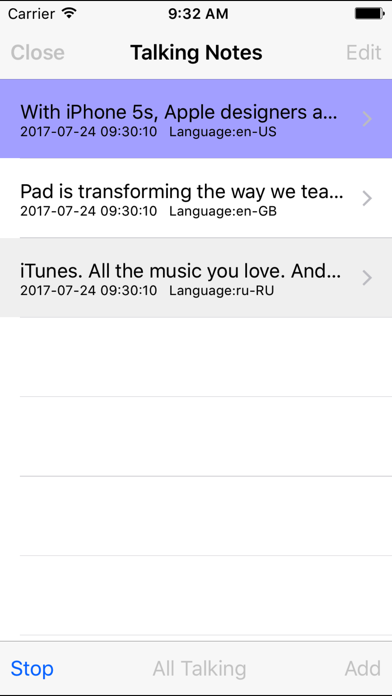
Talking Watch,Talking Notes, Talking Sound, Talking calculator, Talking counter, Talking location,Talking Reminder, Talking Timer, all of them could talk to the upcoming phone call. For example,In the talking notes, we could input the text note, then tap the talk button after receiving the upcoming phone call.
Five Background talking features :Talking Reminder, Talking Timer, Talking Watch,Talking Notes, Talking Sound.
Three Foreground talking features: talking calculator, talking counter, talking location.
1 Background talking count timer
Help us count how much time we spent.
We could select count up or count down, we could set the count period or the count unit such as second or minute from management tab page, tap set - Timer button.
2 Background talking watch
Remind us the current time by talking loudly
When we are playing table tennis, when we are working out, or when we are cooking, we hope to know the current time every ten minutes, or every five minutes, or every one minute. The same time could be reported by talking as many as 20 times.
How to use: Just launch this App, tap the Talk - Watch icon in the talk tab page, then press the home key and launch other app we want to use.
How to set:From the management tab page, tap the General Setting button,We could select the talking languages, repeat time, time form for talking watch. From the management tab page, tap the Set - Watch button, We could select to talk time every 1 minute, every 5 minutes, every 10 minutes, every 15 minutes, every 20 minutes, every 30 minutes.
3.Background Talking Reminder:
Every morning, when the device is locked, this App could talk time and also talk: Hello, Good morning, Please wake up.We need to get up at this time. We will have a very wonderful day.
How to do: every night, before going to bed, just launch this App, tap the Talk - Reminder button in the Talking tab page, after the job list is displayed, press the home key, or lock the device directly.
4. Talking in Watch OS 5 on Apple Watch
When we are walking, running, cooking or driving, we cannot use our iPhone as usual, we even have no time to watch the screen of iPhone, in this situation, we need Apple Watch to help us.
In Watch OS 5, this App provide background talking Watch and background talking timer. When the watch screen is locked, Talking Watch could talk